Journal access through HKU library
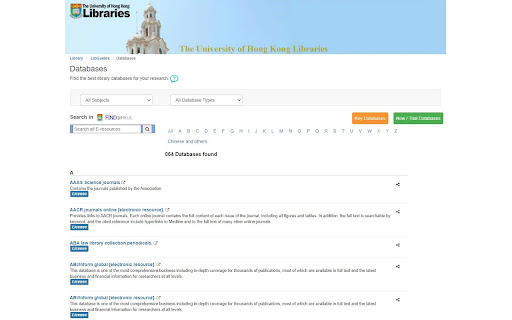
A simple chrome extension that let you access journal through HKU library resources (HKU ID needed).
Co to jest Journal access through HKU library?
Journal access through HKU library to rozszerzenie Chrome opracowane przez junyichen, a jego główną funkcją jest „A simple chrome extension that let you access journal through HKU library resources (HKU ID needed).”.
Zrzuty ekranu rozszerzenia

Pobierz plik CRX rozszerzenia Journal access through HKU library
Pobierz pliki rozszerzeń Journal access through HKU library w formacie crx, zainstaluj ręcznie rozszerzenia Chrome w przeglądarce lub udostępnij pliki crx znajomym, aby łatwo zainstalować rozszerzenia Chrome.
Instrukcja Użytkowania Rozszerzenia
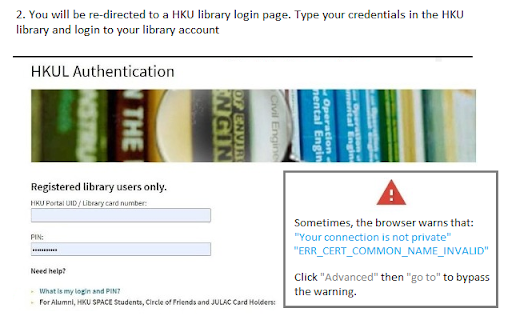
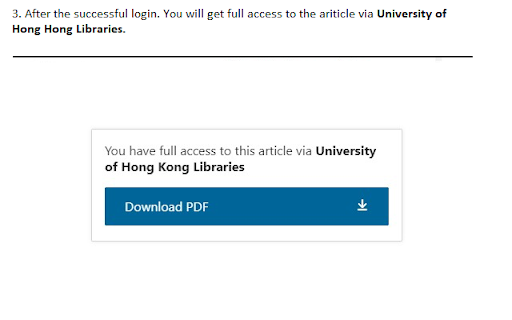
An extension that redirect you from the journal page to the HKU library portal. You need to login the HKU library. The extension will automatically parse the current URL of the current paper page to the HKU library address. Podstawowe informacje o rozszerzeniu
| Nazwa |  Journal access through HKU library Journal access through HKU library |
| ID | lcnnijjgcjfpcfjgnahbcpapbmkiceld |
| Oficjalny URL | https://chromewebstore.google.com/detail/journal-access-through-hk/lcnnijjgcjfpcfjgnahbcpapbmkiceld |
| Opis | A simple chrome extension that let you access journal through HKU library resources (HKU ID needed). |
| Rozmiar pliku | 47.64 KB |
| Liczba instalacji | 135 |
| Aktualna Wersja | 0.0.1 |
| Ostatnia Aktualizacja | 2021-09-02 |
| Data Publikacji | 2021-08-04 |
| Deweloper | junyichen |
| [email protected] | |
| Typ Płatności | free |
| Obsługiwane Języki | en-US |
| manifest.json | |
{
    "update_url": "https:\/\/clients2.google.com\/service\/update2\/crx",
    "manifest_version": 2,
    "name": "Journal access through HKU library",
    "short_name": "HKULibJ",
    "description": "A simple chrome extension that let you access journal through HKU library resources (HKU ID needed).",
    "version": "0.0.1",
    "minimum_chrome_version": "38",
    "permissions": [
        "contextMenus",
        "tabs"
    ],
    "icons": {
        "16": "assets\/icon16.png",
        "128": "assets\/icon128.png"
    },
    "background": {
        "page": "background.html"
    }
} | |