NTUWLogin Bot
This extension helps you login to the NTUWL wireless network automatically.
Co to jest NTUWLogin Bot?
NTUWLogin Bot to rozszerzenie Chrome opracowane przez Jianfeng, a jego główną funkcją jest „This extension helps you login to the NTUWL wireless network automatically.”.
Zrzuty ekranu rozszerzenia


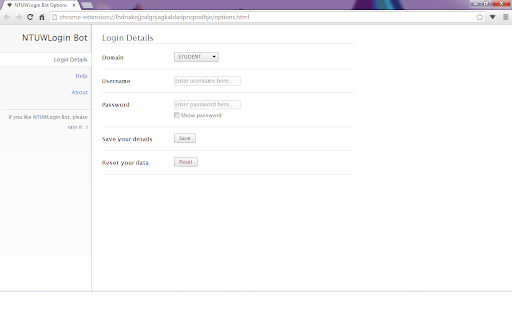
Pobierz plik CRX rozszerzenia NTUWLogin Bot
Pobierz pliki rozszerzeń NTUWLogin Bot w formacie crx, zainstaluj ręcznie rozszerzenia Chrome w przeglądarce lub udostępnij pliki crx znajomym, aby łatwo zainstalować rozszerzenia Chrome.
Instrukcja Użytkowania Rozszerzenia
                        This tiny extension helps you use the NTUWL wireless network in a very convenient way.

Update in 1.2.1. Suggestions for feedback is added to About page.

Update in 1.2.0. Log in address modified to be able to work for more situations.  For example, It will work with wifi near Chinese Library, too.

Every time you are redirected to the login page of NTUWL, NTUWLogin Bot will automatically fill in the form, login for you, and redirect you back.

Just fill in your login details in the options and let NTUWLogin Bot help you.

Btw, NTUWLogin Bot will definitely NOT store your personal information. All your data will be store locally on your computer.
Podstawowe informacje o rozszerzeniu
| Nazwa |  NTUWLogin Bot NTUWLogin Bot |
| ID | lhdnakojjcalgnjagkaldadpncpodhje |
| Oficjalny URL | https://chromewebstore.google.com/detail/ntuwlogin-bot/lhdnakojjcalgnjagkaldadpncpodhje |
| Opis | This extension helps you login to the NTUWL wireless network automatically. |
| Rozmiar pliku | 54.62 KB |
| Liczba instalacji | 111 |
| Aktualna Wersja | 1.2.1 |
| Ostatnia Aktualizacja | 2014-06-07 |
| Data Publikacji | 2014-06-06 |
| Ocena | 4.57/5 Łącznie 7 Oceny |
| Deweloper | Jianfeng |
| Typ Płatności | free |
| Obsługiwane Języki | en |
| manifest.json | |
{
    "update_url": "https:\/\/clients2.google.com\/service\/update2\/crx",
    "manifest_version": 2,
    "name": "NTUWLogin Bot",
    "description": "This extension helps you login to the NTUWL wireless network automatically.",
    "version": "1.2.1",
    "background": {
        "scripts": [
            "js\/background.js"
        ],
        "persistent": false
    },
    "permissions": [
        "http:\/\/*\/*",
        "https:\/\/*\/*",
        "webNavigation",
        "tabs"
    ],
    "options_page": "options.html",
    "icons": {
        "48": "images\/icon-48.png",
        "128": "images\/icon-128.png"
    },
    "browser_action": {
        "default_icon": {
            "19": "images\/icon-19.png",
            "38": "images\/icon-38.png"
        },
        "default_popup": "popup.html"
    }
} | |