Netflix Codes
Netflix Code generator is an extension which will help you find the perfect movie to watch by generating a code
Co to jest Netflix Codes?
Netflix Codes to rozszerzenie Chrome opracowane przez achal.ch, a jego główną funkcją jest „Netflix Code generator is an extension which will help you find the perfect movie to watch by generating a code”.
Zrzuty ekranu rozszerzenia

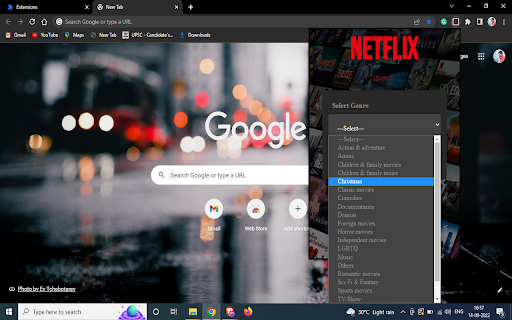
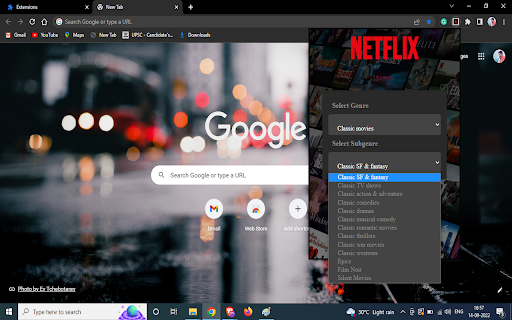

Pobierz plik CRX rozszerzenia Netflix Codes
Pobierz pliki rozszerzeń Netflix Codes w formacie crx, zainstaluj ręcznie rozszerzenia Chrome w przeglądarce lub udostępnij pliki crx znajomym, aby łatwo zainstalować rozszerzenia Chrome.
Instrukcja Użytkowania Rozszerzenia
Sometimes when you wanna watch a movie and you just can't decide what to watch, But not anymore this extension will help you find the movie you wanna watch just select type of movie you wanna watch select a genre and it will generate a Netflix code by which it will only suggest that type of movies This extension is made by use of HTML, CSS, JavaScript. Podstawowe informacje o rozszerzeniu
| Nazwa |  Netflix Codes Netflix Codes |
| ID | lhojojjidomkdaccdkpmejlmmbdjlhjo |
| Oficjalny URL | https://chromewebstore.google.com/detail/netflix-codes/lhojojjidomkdaccdkpmejlmmbdjlhjo |
| Opis | Netflix Code generator is an extension which will help you find the perfect movie to watch by generating a code |
| Rozmiar pliku | 193 KB |
| Liczba instalacji | 95 |
| Aktualna Wersja | 1.0 |
| Ostatnia Aktualizacja | 2022-09-16 |
| Data Publikacji | 2022-09-16 |
| Ocena | 5.00/5 Łącznie 3 Oceny |
| Deweloper | achal.ch |
| [email protected] | |
| Typ Płatności | free |
| Obsługiwane Języki | en-US |
| manifest.json | |
{
    "update_url": "https:\/\/clients2.google.com\/service\/update2\/crx",
    "manifest_version": 3,
    "name": "Netflix Codes",
    "version": "1.0",
    "description": "Netflix Code generator is an extension which will help you find the perfect movie to watch by generating a code",
    "icons": {
        "16": "\/img\/icon16.png",
        "48": "\/img\/icon48.png",
        "128": "\/img\/icon128.png"
    },
    "action": {
        "default_icon": "\/img\/icon16.png",
        "default_popup": "\/HTML\/popup.html"
    }
} | |