Binary Clock Tab
Gives you an easily-accessible binary clock tab. Click on the icon to open the tab. Yes, I know this has been done before.
Co to jest Binary Clock Tab?
Binary Clock Tab to rozszerzenie Chrome opracowane przez Mac Chaffee, a jego główną funkcją jest „Gives you an easily-accessible binary clock tab. Click on the icon to open the tab. Yes, I know this has been done before.”.
Zrzuty ekranu rozszerzenia
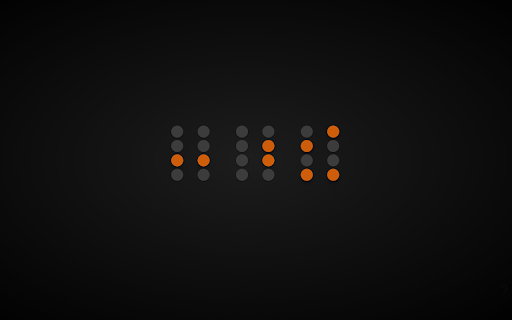

Pobierz plik CRX rozszerzenia Binary Clock Tab
Pobierz pliki rozszerzeń Binary Clock Tab w formacie crx, zainstaluj ręcznie rozszerzenia Chrome w przeglądarce lub udostępnij pliki crx znajomym, aby łatwo zainstalować rozszerzenia Chrome.
Instrukcja Użytkowania Rozszerzenia
                        Gives you an easily-accessible binary clock tab. Click on the icon to open the tab. Yes, I know this has been done before.

See below for release notes:
https://github.com/mac-chaffee/binary-clock-tab/releases
Podstawowe informacje o rozszerzeniu
| Nazwa |  Binary Clock Tab Binary Clock Tab |
| ID | lnmgfgmedjfdpigkklmopnffeifiombh |
| Oficjalny URL | https://chromewebstore.google.com/detail/binary-clock-tab/lnmgfgmedjfdpigkklmopnffeifiombh |
| Opis | Gives you an easily-accessible binary clock tab. Click on the icon to open the tab. Yes, I know this has been done before. |
| Rozmiar pliku | 133 KB |
| Liczba instalacji | 87 |
| Aktualna Wersja | 1.1.0 |
| Ostatnia Aktualizacja | 2017-02-16 |
| Data Publikacji | 2017-02-15 |
| Ocena | 5.00/5 Łącznie 1 Oceny |
| Deweloper | Mac Chaffee |
| Typ Płatności | free |
| Strona Rozszerzenia | https://github.com/mac-chaffee/binary-clock-tab |
| Adres URL Strony Pomocy | https://github.com/mac-chaffee/binary-clock-tab/issues |
| Obsługiwane Języki | en |
| manifest.json | |
{
    "update_url": "https:\/\/clients2.google.com\/service\/update2\/crx",
    "manifest_version": 2,
    "name": "Binary Clock Tab",
    "short_name": "Binary Clock Tab",
    "description": "Gives you an easily-accessible binary clock tab. Click on the icon to open the tab. Yes, I know this has been done before.",
    "version": "1.1.0",
    "author": "Mac Chaffee",
    "icons": {
        "128": "img\/binaryclock.png"
    },
    "browser_action": {
        "default_icon": "img\/binaryclock.png"
    },
    "background": {
        "scripts": [
            "js\/TabOpener.js"
        ],
        "persistent": false
    },
    "permissions": [],
    "homepage_url": "https:\/\/github.com\/mac-chaffee\/binary-clock-tab"
} | |







![Nixie Tube Clock [ANTP]](https://lh3.googleusercontent.com/2UpyzUZ1FZ9NdxjddIyhgS6SJMfoSqQNzwLhFIRBeu7hYK0WB1uujPVQmMbYTNg8td9-HZndWYCVLBZie4wX-sM7tg)