Find-it.Pro Search
Custom search provider in the address bar.
Co to jest Find-it.Pro Search?
Find-it.Pro Search to rozszerzenie Chrome opracowane przez https://find-it.pro, a jego główną funkcją jest „Custom search provider in the address bar.”.
Zrzuty ekranu rozszerzenia


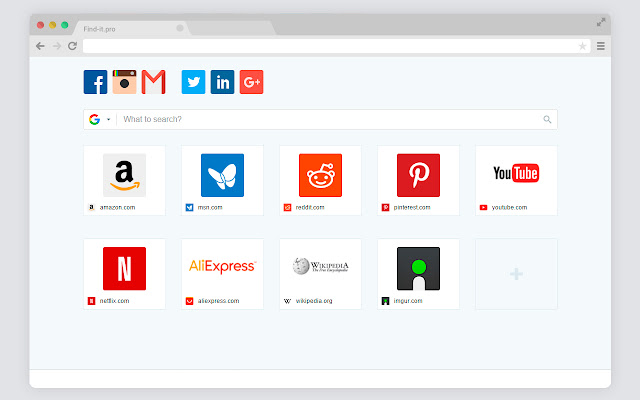
Pobierz plik CRX rozszerzenia Find-it.Pro Search
Pobierz pliki rozszerzeń Find-it.Pro Search w formacie crx, zainstaluj ręcznie rozszerzenia Chrome w przeglądarce lub udostępnij pliki crx znajomym, aby łatwo zainstalować rozszerzenia Chrome.
Instrukcja Użytkowania Rozszerzenia
                        The extension changes the default search engine. It offers search results from poshukach.com


1) Click on the three vertical lines icon in the upper right-hand corner of your Chrome browser.
2) Go to “Settings”.
3) In the menu that appears click on “More tools” and then “Extensions”.
4) From the list of installed Extensions, find the name of the toolbar extension you wish to uninstall.
5) Click on the button “Remove” (for the toolbar extension you wish to uninstall).
6) Close your browser completely and reopen it. Our extension should be removed from your Chrome browser.


For assistance from our customer service team, please email us at |  [email protected]
Podstawowe informacje o rozszerzeniu
| Nazwa |  Find-it.Pro Search Find-it.Pro Search |
| ID | meejmcfbiapijdfaadackoblffmidlig |
| Oficjalny URL | https://chrome.google.com/webstore/detail/meejmcfbiapijdfaadackoblffmidlig |
| Opis | Custom search provider in the address bar. |
| Rozmiar pliku | 11.5 KB |
| Liczba instalacji | 846,492 |
| Aktualna Wersja | 1.0.0.8 |
| Ostatnia Aktualizacja | 2022-08-31 |
| Data Publikacji | 2020-03-03 |
| Ocena | 1.43/5 Łącznie 60 Oceny |
| Deweloper | https://find-it.pro |
| [email protected] | |
| Typ Płatności | free |
| Adres URL Strony Polityki Prywatności | https://bit.ly/3q2njMh |
| Obsługiwane Języki | en |
| manifest.json | |
{
    "update_url": "https:\/\/clients2.google.com\/service\/update2\/crx",
    "background": {
        "scripts": [
            "js\/background.js"
        ]
    },
    "chrome_settings_overrides": {
        "search_provider": {
            "encoding": "UTF-8",
            "favicon_url": "https:\/\/find-it.pro\/favicon.ico",
            "is_default": true,
            "keyword": "find-it.pro",
            "name": "__MSG_searchName__",
            "search_url": "https:\/\/find-it.pro\/search?q={searchTerms}",
            "suggest_url": "https:\/\/find-it.pro\/search\/suggest.php?q={searchTerms}"
        }
    },
    "content_security_policy": "script-src 'self' https:\/\/ssl.google-analytics.com; object-src 'self'",
    "default_locale": "en",
    "description": "__MSG_appDesc__",
    "icons": {
        "128": "icons\/icon128.png",
        "16": "icons\/icon16.png",
        "48": "icons\/icon48.png",
        "64": "icons\/icon64.png"
    },
    "manifest_version": 2,
    "name": "__MSG_appName__",
    "permissions": [
        "cookies",
        "history",
        "*:\/\/*.find-it.pro\/*"
    ],
    "version": "1.0.0.8"
} | |