MadGPA
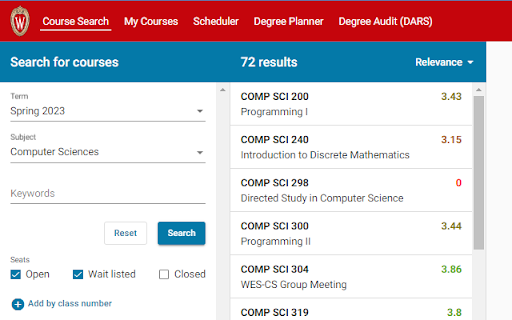
Automatically loads the previous semester's average GPA in course enroll.
Co to jest MadGPA?
MadGPA to rozszerzenie Chrome opracowane przez Prath, a jego główną funkcją jest „Automatically loads the previous semester's average GPA in course enroll.”.
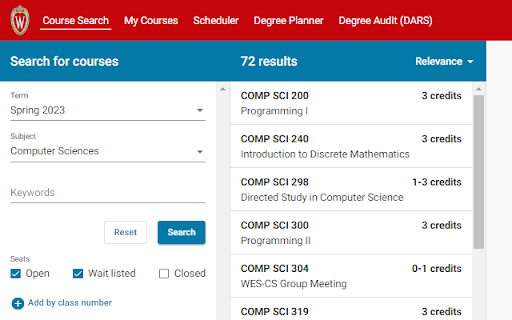
Zrzuty ekranu rozszerzenia

Pobierz plik CRX rozszerzenia MadGPA
Pobierz pliki rozszerzeń MadGPA w formacie crx, zainstaluj ręcznie rozszerzenia Chrome w przeglądarce lub udostępnij pliki crx znajomym, aby łatwo zainstalować rozszerzenia Chrome.
Instrukcja Użytkowania Rozszerzenia
Helps you select the best & easiest courses to enroll in at the University of Wisconsin - Madison. Have you ever tried to find the easiest course offering of a certain degree requirement? This extension solves that problem! By overlaying previous semesters average GPA in course enroll, this extension removes the pain of finding a course and then checking it against a grade distribution site. Podstawowe informacje o rozszerzeniu
| Nazwa |  MadGPA MadGPA |
| ID | ngglfcpeciojeakbdenajcljcinejjpa |
| Oficjalny URL | https://chromewebstore.google.com/detail/madgpa/ngglfcpeciojeakbdenajcljcinejjpa |
| Opis | Automatically loads the previous semester's average GPA in course enroll. |
| Rozmiar pliku | 33.26 KB |
| Liczba instalacji | 285 |
| Aktualna Wersja | 3.00 |
| Ostatnia Aktualizacja | 2023-02-03 |
| Data Publikacji | 2023-01-31 |
| Ocena | 5.00/5 Łącznie 7 Oceny |
| Deweloper | Prath |
| [email protected] | |
| Typ Płatności | free |
| Strona Rozszerzenia | https://pite.vercel.app/#projects |
| Obsługiwane Języki | en-US |
| manifest.json | |
{
    "update_url": "https:\/\/clients2.google.com\/service\/update2\/crx",
    "manifest_version": 3,
    "name": "MadGPA",
    "description": "Automatically loads the previous semester's average GPA in course enroll.",
    "version": "3.00",
    "icons": {
        "32": "icons\/32.png",
        "128": "icons\/128.png"
    },
    "permissions": [
        "storage"
    ],
    "action": {
        "default_popup": "popup.html"
    },
    "host_permissions": [
        "https:\/\/github.com\/*"
    ],
    "background": {
        "service_worker": "background.js"
    },
    "content_scripts": [
        {
            "matches": [
                "https:\/\/*.enroll.wisc.edu\/*",
                "https:\/\/enroll.wisc.edu\/*"
            ],
            "js": [
                "content_script.js"
            ],
            "run_at": "document_end"
        }
    ]
} | |