Screen Grabber
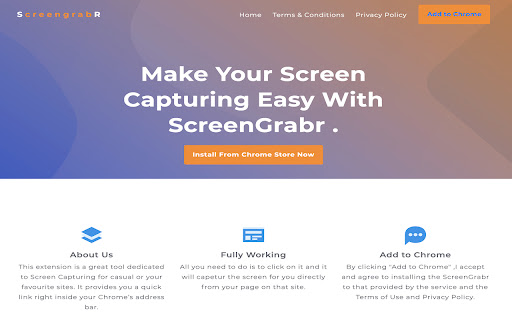
ScreenGrabber provides awesome features of screen capturing of your desired web page area.
Co to jest Screen Grabber?
Screen Grabber to rozszerzenie Chrome opracowane przez info.screengrabr, a jego główną funkcją jest „ScreenGrabber provides awesome features of screen capturing of your desired web page area.”.
Zrzuty ekranu rozszerzenia

Pobierz plik CRX rozszerzenia Screen Grabber
Pobierz pliki rozszerzeń Screen Grabber w formacie crx, zainstaluj ręcznie rozszerzenia Chrome w przeglądarce lub udostępnij pliki crx znajomym, aby łatwo zainstalować rozszerzenia Chrome.
Instrukcja Użytkowania Rozszerzenia
                        Screen Grabber gives you a fast and affective screen capturing tool.
We ensured this tool was basic and made with one thing in mind,

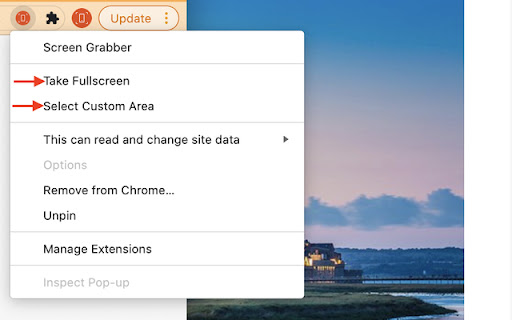
1.	Capture the whole screen
2.	A selectable Area

You can also email your saved image.

By clicking "Add to Chrome", I accept and agree to install the Screen Grabber Chrome extension and setting Chrome New Tab Search to that provided by Terms of Use and Privacy Policy. We recommend pinning the extension to your browser toolbar by clicking on the for fast and efficient access.

Website: https://www.screengrabr.com
Privacy Policy: https://www.screengrabr.com/privacy.html
Terms of Use: https://www.screengrabr.com/term.html

For all support, please email our customer service team who will be happy to help you, please email us at [email protected]
Podstawowe informacje o rozszerzeniu
| Nazwa |  Screen Grabber Screen Grabber |
| ID | nhcgejenbogeimhladggplmkbimcfemb |
| Oficjalny URL | https://chromewebstore.google.com/detail/screen-grabber/nhcgejenbogeimhladggplmkbimcfemb |
| Opis | ScreenGrabber provides awesome features of screen capturing of your desired web page area. |
| Rozmiar pliku | 536 KB |
| Liczba instalacji | 1,577 |
| Aktualna Wersja | 1.1 |
| Ostatnia Aktualizacja | 2021-11-09 |
| Data Publikacji | 2021-03-26 |
| Ocena | 3.20/5 Łącznie 5 Oceny |
| Deweloper | info.screengrabr |
| [email protected] | |
| Typ Płatności | free |
| Obsługiwane Języki | en-US |
| manifest.json | |
{
"update_url": "https:\/\/clients2.google.com\/service\/update2\/crx",
"manifest_version": 2,
"name": "Screen Grabber",
"description": "ScreenGrabber provides awesome features of screen capturing of your desired web page area.",
"version": "1.1",
"content_scripts": [
{
"matches": [
" | |