Giphy for GitHub
Giphy for GitHub gives you the ability to easily add GIFs from giphy into pull requests, issues, and other comments on GitHub.…
Co to jest Giphy for GitHub?
Giphy for GitHub to rozszerzenie Chrome opracowane przez Steven Lundy, a jego główną funkcją jest „Giphy for GitHub gives you the ability to easily add GIFs from giphy into pull requests, issues, and other comments on GitHub.…”.
Zrzuty ekranu rozszerzenia
Pobierz plik CRX rozszerzenia Giphy for GitHub
Pobierz pliki rozszerzeń Giphy for GitHub w formacie crx, zainstaluj ręcznie rozszerzenia Chrome w przeglądarce lub udostępnij pliki crx znajomym, aby łatwo zainstalować rozszerzenia Chrome.
Instrukcja Użytkowania Rozszerzenia
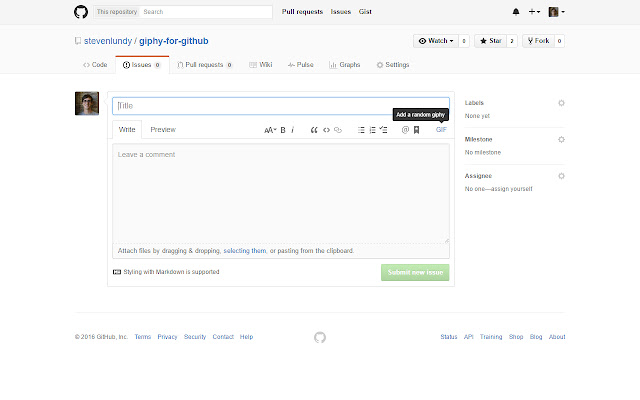
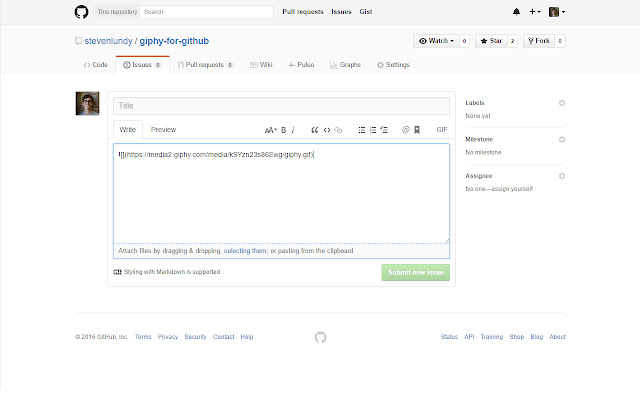
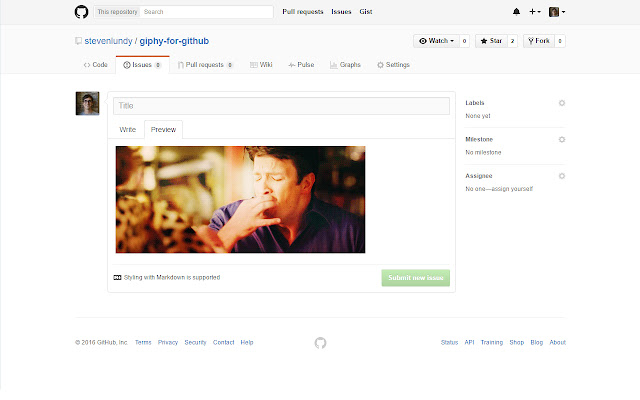
                        Giphy for GitHub gives you the ability to easily add GIFs from giphy into pull requests, issues, and other comments on GitHub. After you have installed the extension there will be an extra button in your GitHub toolbar to insert GIFs.

If you select a word or phrase and click the button, it will replace the text with a giphy on that theme. If you have nothing selected, it will insert a random giphy. If you select the ID for a specific giphy, it will insert it.
Podstawowe informacje o rozszerzeniu
| Nazwa |  Giphy for GitHub Giphy for GitHub |
| ID | njpbcacdkcomjpddllidghnpjjdjbfoh |
| Oficjalny URL | https://chrome.google.com/webstore/detail/giphy-for-github/njpbcacdkcomjpddllidghnpjjdjbfoh |
| Opis | Giphy for GitHub gives you the ability to easily add GIFs from giphy into pull requests, issues, and other comments on GitHub.… |
| Rozmiar pliku | 59.36 KB |
| Liczba instalacji | 578 |
| Aktualna Wersja | 1.0.4 |
| Ostatnia Aktualizacja | 2019-08-21 |
| Data Publikacji | 2019-08-21 |
| Ocena | 3.17/5 Łącznie 6 Oceny |
| Deweloper | Steven Lundy |
| Typ Płatności | free |
| Obsługiwane Języki | en |
| manifest.json | |
{
    "update_url": "https:\/\/clients2.google.com\/service\/update2\/crx",
    "name": "Giphy for GitHub",
    "description": "",
    "version": "1.0.4",
    "manifest_version": 2,
    "permissions": [
        "storage"
    ],
    "icons": {
        "16": "icons\/icon16.png",
        "32": "icons\/icon32.png",
        "48": "icons\/icon48.png",
        "128": "icons\/icon128.png",
        "244": "icons\/icon244.png"
    },
    "options_ui": {
        "page": "options.html",
        "chrome_style": true
    },
    "content_scripts": [
        {
            "matches": [
                "https:\/\/github.com\/*"
            ],
            "js": [
                "main.js"
            ]
        }
    ]
} | |