Fatkun Batch Download Image
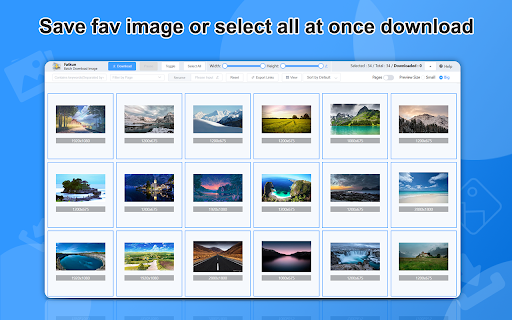
An useful image batch download extension.You can filter by resolution or link.
Co to jest Fatkun Batch Download Image?
Fatkun Batch Download Image to rozszerzenie Chrome opracowane przez fatkun, a jego główną funkcją jest „An useful image batch download extension.You can filter by resolution or link.”.
Zrzuty ekranu rozszerzenia



Pobierz plik CRX rozszerzenia Fatkun Batch Download Image
Pobierz pliki rozszerzeń Fatkun Batch Download Image w formacie crx, zainstaluj ręcznie rozszerzenia Chrome w przeglądarce lub udostępnij pliki crx znajomym, aby łatwo zainstalować rozszerzenia Chrome.
Instrukcja Użytkowania Rozszerzenia
                        Download all pictures on the page with one click, support all websites
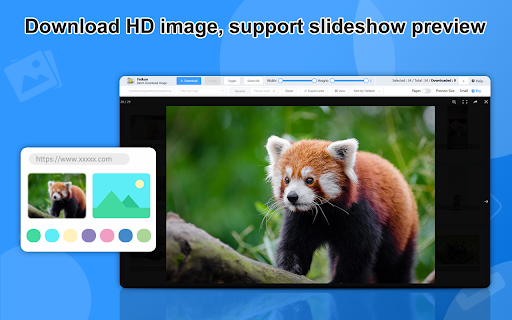
Some websites support automatic resolution into high-definition large images, and we will continue to add them according to user needs
Smart scripts automatically filter the pictures users need, such as e-commerce pictures, automatically filter the main picture, SKU picture, and detailed picture, and display them in categories. Supported websites are constantly being updated.
Podstawowe informacje o rozszerzeniu
| Nazwa |  Fatkun Batch Download Image Fatkun Batch Download Image |
| ID | nnjjahlikiabnchcpehcpkdeckfgnohf |
| Oficjalny URL | https://chromewebstore.google.com/detail/fatkun-batch-download-ima/nnjjahlikiabnchcpehcpkdeckfgnohf |
| Opis | An useful image batch download extension.You can filter by resolution or link. |
| Rozmiar pliku | 2.16 MB |
| Liczba instalacji | 800,000 |
| Aktualna Wersja | 5.12.11 |
| Ostatnia Aktualizacja | 2023-12-04 |
| Data Publikacji | 2020-03-28 |
| Ocena | 4.25/5 Łącznie 2783 Oceny |
| Deweloper | fatkun |
| Typ Płatności | free |
| Adres URL Strony Polityki Prywatności | https://static.f7tk.com/privacy.html |
| Obsługiwane Języki | id,ms,de,en,fil,fr,sw,nl,no,vi,tr,ca,da,et,es,hr,it,lv,lt,hu,pl,pt-BR,pt-PT,ro,sk,sl,fi,sv,cs,el,sr,bg,ru,uk,iw,fa,hi,bn,gu,ta,te,kn-IN,th,ar,zh-CN,zh-TW,ja,ko |
| manifest.json | |
{
"update_url": "https:\/\/clients2.google.com\/service\/update2\/crx",
"background": {
"page": "background.html"
},
"browser_action": {
"default_icon": "icon-small.png",
"default_popup": "popup.html",
"default_title": "__MSG_default_title__"
},
"content_scripts": [
{
"all_frames": true,
"js": [
"js\/constants.js",
"js\/runAtStart.js"
],
"matches": [
" | |