Easy New Tab
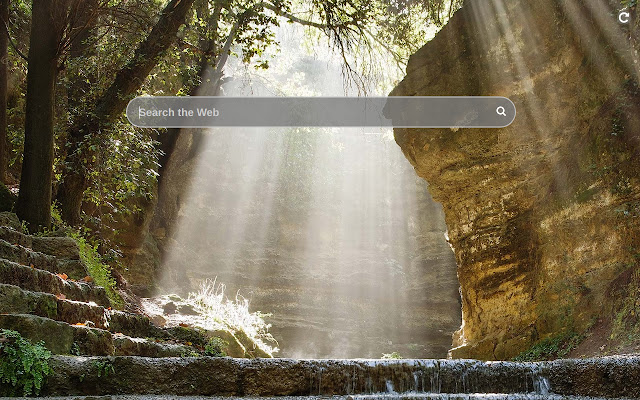
New tab page with beautiful background and without distracting things
Co to jest Easy New Tab?
Easy New Tab to rozszerzenie Chrome opracowane przez C.A.M. First Agency Kft., a jego główną funkcją jest „New tab page with beautiful background and without distracting things”.
Zrzuty ekranu rozszerzenia
Pobierz plik CRX rozszerzenia Easy New Tab
Pobierz pliki rozszerzeń Easy New Tab w formacie crx, zainstaluj ręcznie rozszerzenia Chrome w przeglądarce lub udostępnij pliki crx znajomym, aby łatwo zainstalować rozszerzenia Chrome.
Instrukcja Użytkowania Rozszerzenia
                        This extension replaces default new tab page with one where there is only a search bar with autocomplete, and the background is a random landscape image. Enjoy and relax while surfing the Internet!

By clicking "Add to chrome", I accept and agree to installing the Easy New Tab Chrome extension and setting Chrome™ New Tab to that provided by the service and the Terms of Use and Privacy Policy
Podstawowe informacje o rozszerzeniu
| Nazwa |  Easy New Tab Easy New Tab |
| ID | npiipcjhnhgklimfncldongkkhijemgm |
| Oficjalny URL | https://chrome.google.com/webstore/detail/npiipcjhnhgklimfncldongkkhijemgm |
| Opis | New tab page with beautiful background and without distracting things |
| Rozmiar pliku | 290 KB |
| Liczba instalacji | 57,925 |
| Aktualna Wersja | 2.1 |
| Ostatnia Aktualizacja | 2023-03-30 |
| Data Publikacji | 2019-12-22 |
| Ocena | 3.00/5 Łącznie 2 Oceny |
| Deweloper | C.A.M. First Agency Kft. |
| [email protected] | |
| Typ Płatności | free |
| Adres URL Strony Polityki Prywatności | https://docs.google.com/document/d/e/2PACX-1vSZa40A0A9wELr9wJEB2nEGtltOPnWE3P3w9TicYLkJeixMZlv2vx6LOgtUfzdFZJFNUSOhRORML3tJ/pub |
| Obsługiwane Języki | en |
| manifest.json | |
{
    "update_url": "https:\/\/clients2.google.com\/service\/update2\/crx",
    "manifest_version": 3,
    "version": "2.1",
    "name": "Easy New Tab",
    "description": "New tab page with beautiful background and without distracting things",
    "chrome_url_overrides": {
        "newtab": "index.html"
    },
    "icons": {
        "128": "128.png"
    },
    "action": {
        "default_title": "Open Easy New Tab"
    },
    "background": {
        "service_worker": "js\/bg.js"
    }
} | |