Open Links in New Tab
This extension allows you to decide which websites you want to automatically open in a new tab.
O que é Open Links in New Tab?
Open Links in New Tab é uma extensão do Chrome desenvolvida por Aran Sandhu, e sua principal característica é "This extension allows you to decide which websites you want to automatically open in a new tab.".
Capturas de Tela da Extensão
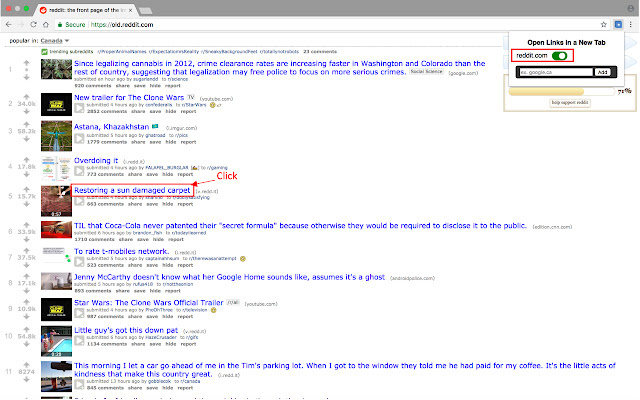

Baixar o arquivo CRX da Extensão Open Links in New Tab
Baixe arquivos de extensão Open Links in New Tab no formato crx, instale manualmente as extensões do Chrome no navegador ou compartilhe os arquivos crx com amigos para instalar facilmente as extensões do Chrome.
Instruções de Uso da Extensão
This extension will allow you to create a list of websites so that whenever you click a link on one of those websites, the link will automatically open in a new tab. Perfect for websites like Google, Reddit, and YouTube. Informações Básicas da Extensão
| Nome |  Open Links in New Tab Open Links in New Tab |
| ID | bbccifaebcaangidpmojlooininapefb |
| URL Oficial | https://chrome.google.com/webstore/detail/open-links-in-new-tab/bbccifaebcaangidpmojlooininapefb |
| Descrição | This extension allows you to decide which websites you want to automatically open in a new tab. |
| Tamanho do Arquivo | 111 KB |
| Contagem de Instalações | 1,000 |
| Versão Atual | 1.05 |
| Última Atualização | 2020-08-18 |
| Data de Publicação | 2018-08-07 |
| Classificação | 2.11/5 Total de 9 Avaliações |
| Desenvolvedor | Aran Sandhu |
| [email protected] | |
| Tipo de Pagamento | free |
| Idiomas Suportados | en-GB |
| manifest.json | |
{
"update_url": "https:\/\/clients2.google.com\/service\/update2\/crx",
"manifest_version": 2,
"name": "Open Links in New Tab",
"description": "This extension allows you to decide which websites you want to automatically open in a new tab.",
"version": "1.05",
"author": "Aran Sandhu",
"browser_action": {
"default_icon": "icon16.png",
"default_popup": "popup.html"
},
"icons": {
"16": "icon16.png",
"48": "icon48.png",
"128": "icon128.png"
},
"background": {
"scripts": [
"jquery-3.3.1.js",
"background.js"
],
"persistent": true
},
"content_scripts": [
{
"matches": [
" | |