Omegle Chat Helper
Use Omelge more easy and fast with the Omegle Chat Helper, no need to click next and type a welcome messagem we automate it.
O que é Omegle Chat Helper?
Omegle Chat Helper é uma extensão do Chrome desenvolvida por http://li.cx, e sua principal característica é "Use Omelge more easy and fast with the Omegle Chat Helper, no need to click next and type a welcome messagem we automate it.".
Capturas de Tela da Extensão
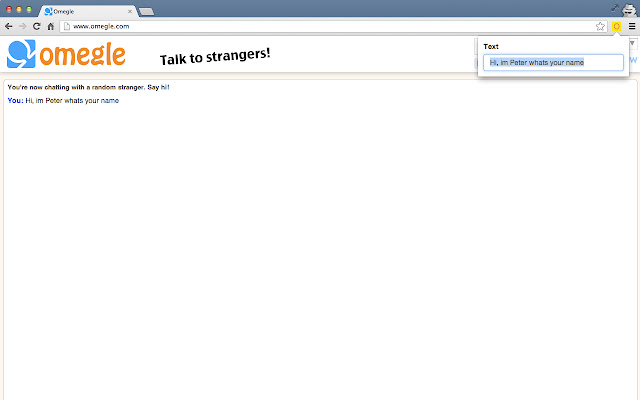
Baixar o arquivo CRX da Extensão Omegle Chat Helper
Baixe arquivos de extensão Omegle Chat Helper no formato crx, instale manualmente as extensões do Chrome no navegador ou compartilhe os arquivos crx com amigos para instalar facilmente as extensões do Chrome.
Instruções de Uso da Extensão
The App helps you to simplify your Omegle workflow. No more copy pasting welcome messages and pressing next if someone nexted you. Informações Básicas da Extensão
| Nome |  Omegle Chat Helper Omegle Chat Helper |
| ID | ccpoppcajgnnmimhbkbmnbnmdjbagoep |
| URL Oficial | https://chrome.google.com/webstore/detail/omegle-chat-helper/ccpoppcajgnnmimhbkbmnbnmdjbagoep |
| Descrição | Use Omelge more easy and fast with the Omegle Chat Helper, no need to click next and type a welcome messagem we automate it. |
| Tamanho do Arquivo | 109 KB |
| Contagem de Instalações | 8,000 |
| Versão Atual | 1.5 |
| Última Atualização | 2013-09-03 |
| Data de Publicação | 2013-09-03 |
| Classificação | 2.92/5 Total de 65 Avaliações |
| Desenvolvedor | http://li.cx |
| Tipo de Pagamento | free |
| Idiomas Suportados | en |
| manifest.json | |
{
    "update_url": "https:\/\/clients2.google.com\/service\/update2\/crx",
    "manifest_version": 2,
    "name": "Omegle Chat Helper",
    "description": "Use Omelge more easy and fast with the Omegle Chat Helper, no need to click next and type a welcome messagem we automate it.",
    "version": "1.5",
    "background.persistent": {
        "persistent": false
    },
    "offline_enabled": false,
    "browser_action": {
        "default_icon": "icon.png",
        "default_popup": "popup.html"
    },
    "permissions": [
        "tabs",
        "*:\/\/*.omegle.com\/*",
        "storage",
        "*:\/\/*.omegle.com\/*"
    ],
    "content_security_policy": "script-src 'self' https:\/\/ssl.google-analytics.com; object-src 'self'",
    "content_scripts": [
        {
            "all_frames": true,
            "matches": [
                "*:\/\/*.omegle.com\/*"
            ],
            "css": [
                "bootstrap.min.css"
            ],
            "js": [
                "jquery.min.js",
                "popup.js"
            ]
        }
    ]
} | |