Problem To Pickle
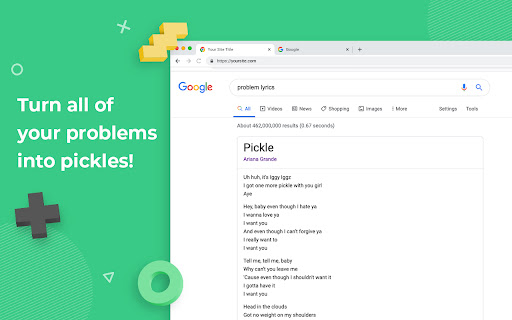
Replaces the word 'problem' with word 'pickle' every where in the text on web page for each web site.
O que é Problem To Pickle?
Problem To Pickle é uma extensão do Chrome desenvolvida por Unknown, e sua principal característica é "Replaces the word 'problem' with word 'pickle' every where in the text on web page for each web site.".
Capturas de Tela da Extensão
Baixar o arquivo CRX da Extensão Problem To Pickle
Baixe arquivos de extensão Problem To Pickle no formato crx, instale manualmente as extensões do Chrome no navegador ou compartilhe os arquivos crx com amigos para instalar facilmente as extensões do Chrome.
Instruções de Uso da Extensão
                        Does it ever feel like there are too many problems in the world? Don't worry, Design Pickle is here to help.

Install this simple extension and all of your problems will turn into delicious pickles!
Informações Básicas da Extensão
| Nome |  Problem To Pickle Problem To Pickle |
| ID | cflkfnipolmhhpjamgipagfbkadimgpb |
| URL Oficial | https://chromewebstore.google.com/detail/problem-to-pickle/cflkfnipolmhhpjamgipagfbkadimgpb |
| Descrição | Replaces the word 'problem' with word 'pickle' every where in the text on web page for each web site. |
| Tamanho do Arquivo | 18.12 KB |
| Contagem de Instalações | 33 |
| Versão Atual | 1.0 |
| Última Atualização | 2020-04-01 |
| Data de Publicação | 2020-04-01 |
| Classificação | 5.00/5 Total de 4 Avaliações |
| Desenvolvedor | Unknown |
| Tipo de Pagamento | free |
| Site da Extensão | https://designpickle.com |
| Idiomas Suportados | en |
| manifest.json | |
{
    "update_url": "https:\/\/clients2.google.com\/service\/update2\/crx",
    "manifest_version": 2,
    "name": "Problem To Pickle",
    "version": "1.0",
    "description": "Replaces the word 'problem' with word 'pickle' every where in the text on web page for each web site.",
    "content_scripts": [
        {
            "matches": [
                "*:\/\/*\/*"
            ],
            "js": [
                "contentScript.js"
            ],
            "run_at": "document_end"
        }
    ],
    "icons": {
        "16": "images\/icon16.png",
        "32": "images\/icon32.png",
        "48": "images\/icon48.png",
        "128": "images\/icon128.png"
    },
    "browser_action": {
        "default_icon": "images\/icon32.png"
    }
} | |