Soda PDF: Convert, Merge, Split & Compress
Create, Convert, Merge, Split, Compress and Protect freely your PDF document without having to download any additional software.
O que é Soda PDF: Convert, Merge, Split & Compress?
Soda PDF: Convert, Merge, Split & Compress é uma extensão do Chrome desenvolvida por http://sodapdf.com, e sua principal característica é "Create, Convert, Merge, Split, Compress and Protect freely your PDF document without having to download any additional software.".
Capturas de Tela da Extensão


Baixar o arquivo CRX da Extensão Soda PDF: Convert, Merge, Split & Compress
Baixe arquivos de extensão Soda PDF: Convert, Merge, Split & Compress no formato crx, instale manualmente as extensões do Chrome no navegador ou compartilhe os arquivos crx com amigos para instalar facilmente as extensões do Chrome.
Instruções de Uso da Extensão
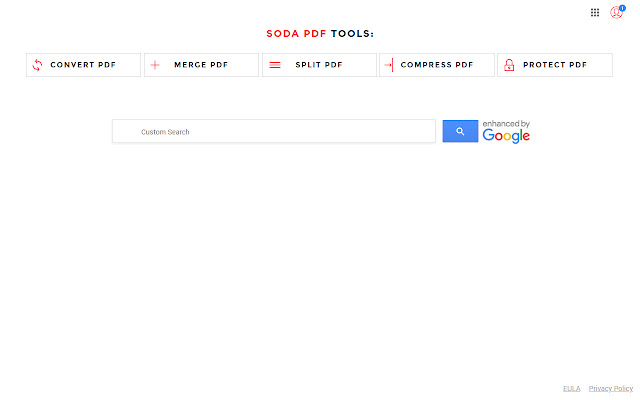
                        Enjoy FREE access to various PDF services. Create, Convert, Merge, Split, Compress and Protect your PDF document without having to download any additional software.
This extension configures your New Tab page to SodaPDF to provide these FREE features as well as search capabilities.

Save time and money by accessing our FREE PDF features. With Soda PDF you can:

- Create: Create quality PDFs from 300+ file formats with our FREE creator
- Convert: Convert your documents into other types of files with accuracy and no loss of information
- Merge: Select multiple PDF files and combine them into one easily manageable document.
- Split: Split your large PDF files into multiple, smaller-sized documents to make working with them easier.
- Compress: Reduce the size of your PDF while maintaining good quality.
- Protect: Add a password to your PDF to secure your information and restrict the access to your PDF.

Join the thousands of loyal users into the online PDF revolution. Try SodaPDF today and take advantage of all the FREE PDF features we have to offer.
The SodaPDF extension also offers convenient web search tool in order to facilitate your search needs.

By clicking the “Add to Chrome” button in the top right-hand corner and installing the SodaPDF extension, you agree to install this application, and you agree to the End User License Agreement and the Privacy Policy and to receiving any future updates and upgrades. The application communicates with our servers to deliver its PDF functionality.
End User License Agreement: https://www.sodapdf.com/terms-of-use/
Privacy Policy: https://www.sodapdf.com/privacy/
To remove our extension from Google Chrome:

1) Click on the three horizontal lines icon in the upper right-hand corner of your Chrome browser.
2) Go to "Settings".
3) In the top left corner, the menu that appears click on "Extensions".
4) From the list of installed Extensions, find the name of the toolbar extension you wish to uninstall.
5) Click on “Remove” for the extension you wish to uninstall.
6) Close your browser completely and reopen it. Our extension should be removed from your Chrome browser.

Help & Feedback: https://www.sodapdf.com/support/
Informações Básicas da Extensão
| Nome |  Soda PDF: Convert, Merge, Split & Compress Soda PDF: Convert, Merge, Split & Compress |
| ID | gfjafjofnehohehighdlkhcpanocobjb |
| URL Oficial | https://chrome.google.com/webstore/detail/soda-pdf-convert-merge-sp/gfjafjofnehohehighdlkhcpanocobjb |
| Descrição | Create, Convert, Merge, Split, Compress and Protect freely your PDF document without having to download any additional software. |
| Tamanho do Arquivo | 73.09 KB |
| Contagem de Instalações | 70,000 |
| Versão Atual | 1.0.1.15 |
| Última Atualização | 2019-05-23 |
| Data de Publicação | 2019-05-23 |
| Classificação | 3.13/5 Total de 54 Avaliações |
| Desenvolvedor | http://sodapdf.com |
| [email protected] | |
| Tipo de Pagamento | free |
| URL da Página de Política de Privacidade | https://www.sodapdf.com/privacy |
| Idiomas Suportados | en |
| manifest.json | |
null | |