QBar Extension
QBar, a browser helper specially designed for Chrome, deep in user behavior, optimized common Chrome functions for user, simplified…
O que é QBar Extension?
QBar Extension é uma extensão do Chrome desenvolvida por Smith, e sua principal característica é "QBar, a browser helper specially designed for Chrome, deep in user behavior, optimized common Chrome functions for user, simplified…".
Capturas de Tela da Extensão
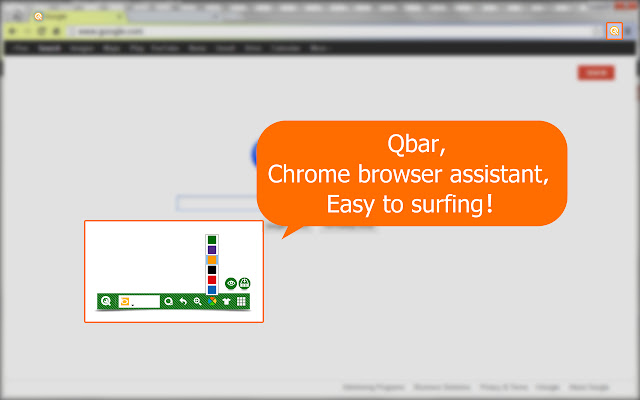


Baixar o arquivo CRX da Extensão QBar Extension
Baixe arquivos de extensão QBar Extension no formato crx, instale manualmente as extensões do Chrome no navegador ou compartilhe os arquivos crx com amigos para instalar facilmente as extensões do Chrome.
Instruções de Uso da Extensão
                        How to reopen the accidentally closed webpage?
How to quickly find your favriate browser theme from many of them?
How to open incognito window?
Where to see the downloads?
......
Qbar,  a browser helper specially designed for Chrome, deep in user behavior, optimized common Chrome functions for user, simplified operations,  comfortable for surfing!
Informações Básicas da Extensão
| Nome |  QBar Extension QBar Extension |
| ID | gplkildghlidhhkkmkbochodbkpcmphl |
| URL Oficial | https://chrome.google.com/webstore/detail/qbar-extension/gplkildghlidhhkkmkbochodbkpcmphl |
| Descrição | QBar, a browser helper specially designed for Chrome, deep in user behavior, optimized common Chrome functions for user, simplified… |
| Tamanho do Arquivo | 487 KB |
| Contagem de Instalações | 19 |
| Versão Atual | 1.0.0.7 |
| Última Atualização | 2013-07-29 |
| Data de Publicação | 2013-07-29 |
| Classificação | 5.00/5 Total de 6 Avaliações |
| Desenvolvedor | Smith |
| Tipo de Pagamento | free |
| Idiomas Suportados | en |
| manifest.json | |
{
    "update_url": "https:\/\/clients2.google.com\/service\/update2\/crx",
    "name": "__MSG_name__",
    "version": "1.0.0.7",
    "description": "__MSG_description__",
    "default_locale": "en",
    "browser_action": {
        "default_title": "__MSG_name__",
        "default_icon": "images\/16.png",
        "default_popup": "popup.html"
    },
    "icons": {
        "16": "images\/16.png",
        "19": "images\/19.png",
        "128": "images\/128.png"
    },
    "background": {
        "scripts": [
            "lib\/jquery-2.0.2.min.js",
            "constants.js",
            "lib\/underscore.js",
            "common\/analytics.js",
            "common\/storage.js",
            "background.js"
        ],
        "persistent": true
    },
    "permissions": [
        "notifications",
        "background",
        "tabs",
        "bookmarks",
        "history",
        "topSites",
        "alarms",
        "management",
        "browsingData",
        "contentSettings",
        "*:\/\/*\/*",
        "chrome:\/\/favicon\/",
        "storage",
        "unlimitedStorage"
    ],
    "content_scripts": [
        {
            "matches": [
                "http:\/\/*\/*",
                "https:\/\/*\/*"
            ],
            "css": [
                "css\/q-bar-reset.css",
                "css\/bar.css"
            ],
            "js": [
                "lib\/jquery-2.0.2.min.js",
                "constants.js",
                "content.js"
            ],
            "run_at": "document_end"
        }
    ],
    "content_security_policy": "script-src 'self' https:\/\/; object-src 'self'",
    "manifest_version": 2,
    "web_accessible_resources": [
        "img\/*",
        "images\/*",
        "*.html"
    ]
} | |