Gargl
Record web requests and turn them into reusable code in any programming language.
O que é Gargl?
Gargl é uma extensão do Chrome desenvolvida por Apptastic!, e sua principal característica é " Record web requests and turn them into reusable code in any programming language.".
Capturas de Tela da Extensão
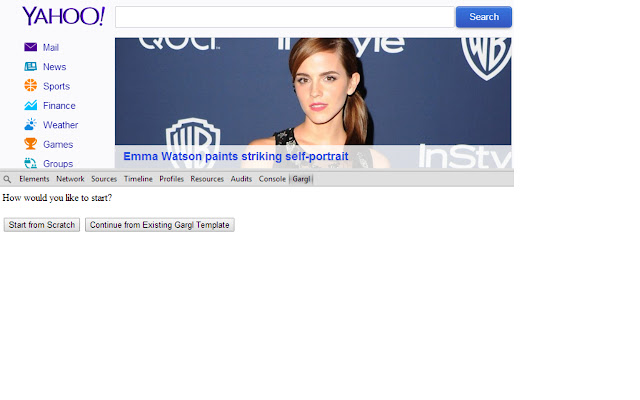


Baixar o arquivo CRX da Extensão Gargl
Baixe arquivos de extensão Gargl no formato crx, instale manualmente as extensões do Chrome no navegador ou compartilhe os arquivos crx com amigos para instalar facilmente as extensões do Chrome.
Instruções de Uso da Extensão
                        Gargl - Generic API Recorder and Generator Lite. Pronounced "Gargle."

Automate any website. Record web requests as they happen and turn them into reusable code in any programming language.

Learn more about Gargl here: http://jodoglevy.com/jobloglevy/?p=5

Source code available here: https://github.com/jodoglevy/gargl
Informações Básicas da Extensão
| Nome |  Gargl Gargl |
| ID | hagmpmhhkhfgkgdmbgldddcobicgkhnj |
| URL Oficial | https://chrome.google.com/webstore/detail/gargl/hagmpmhhkhfgkgdmbgldddcobicgkhnj |
| Descrição | Record web requests and turn them into reusable code in any programming language. |
| Tamanho do Arquivo | 11.76 KB |
| Contagem de Instalações | 606 |
| Versão Atual | 0.12 |
| Última Atualização | 2015-01-10 |
| Data de Publicação | 2015-01-10 |
| Classificação | 4.75/5 Total de 8 Avaliações |
| Desenvolvedor | Apptastic! |
| Tipo de Pagamento | free |
| URL da Página de Política de Privacidade | https://apptastic.uservoice.com/knowledgebase/articles/1839385 |
| Idiomas Suportados | en |
| manifest.json | |
{
    "update_url": "https:\/\/clients2.google.com\/service\/update2\/crx",
    "name": "Gargl",
    "version": "0.12",
    "description": " Record web requests and turn them into reusable code in any programming language.",
    "manifest_version": 2,
    "incognito": "spanning",
    "icons": {
        "16": "icon16.png",
        "48": "icon48.png",
        "128": "icon.png"
    },
    "devtools_page": "devtools.html"
} | |