Repeat button
Make videos play on repeat by pressing single button.
O que é Repeat button?
Repeat button é uma extensão do Chrome desenvolvida por Marius Turcu, e sua principal característica é "Make videos play on repeat by pressing single button.".
Capturas de Tela da Extensão
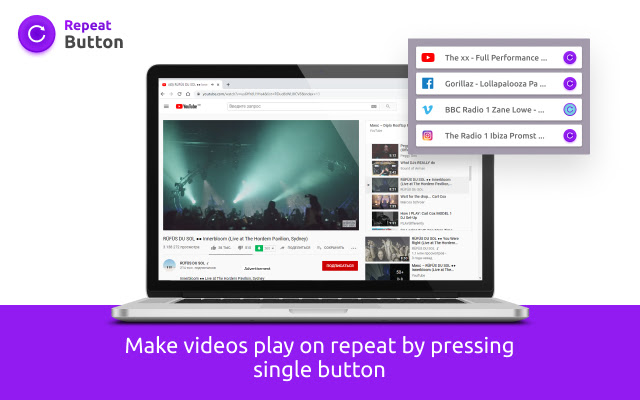
Baixar o arquivo CRX da Extensão Repeat button
Baixe arquivos de extensão Repeat button no formato crx, instale manualmente as extensões do Chrome no navegador ou compartilhe os arquivos crx com amigos para instalar facilmente as extensões do Chrome.
Instruções de Uso da Extensão
                        Repeat Button adds automatic replay capabilities to online videos.
It simply adds a new button to online videos. Once activated it plays a video in a loop.

Repeat Button works on Youtube, many popular video sites, and generic HTML5 videos.

How to use:
You can enable the repeat mode both from the toolbar or from the player.
Informações Básicas da Extensão
| Nome |  Repeat button Repeat button |
| ID | iicpikopjmmincpjkckdngpkmlcchold |
| URL Oficial | https://chrome.google.com/webstore/detail/repeat-button/iicpikopjmmincpjkckdngpkmlcchold |
| Descrição | Make videos play on repeat by pressing single button. |
| Tamanho do Arquivo | 417 KB |
| Contagem de Instalações | 1,466,157 |
| Versão Atual | 1.7.1 |
| Última Atualização | 2022-10-13 |
| Data de Publicação | 2021-06-13 |
| Classificação | 4.12/5 Total de 17 Avaliações |
| Desenvolvedor | Marius Turcu |
| [email protected] | |
| Tipo de Pagamento | free |
| URL da Página de Política de Privacidade | https://www.notion.so/Repeat-button-Privacy-policy-542aa0c225c24770ab6d1e9c06181530 |
| Idiomas Suportados | id,ms,de,en,en-GB,en-US,fil,fr,nl,no,vi,tr,ca,da,et,es,es-419,hr,it,lv,lt,hu,pl,pt-BR,pt-PT,ro,sk,sl,fi,sv,cs,el,sr,bg,ru,uk,mr,hi,bn,gu,ta,te,ml,th,zh-CN,zh-TW,ja,ko |
| manifest.json | |
{
"update_url": "https:\/\/clients2.google.com\/service\/update2\/crx",
"author": "Repeat button",
"background": {
"scripts": [
"bg.js"
],
"persistent": true
},
"browser_action": {
"default_icon": {
"128": "icons\/icon-128.png",
"48": "icons\/icon-48.png",
"16": "icons\/icon-16.png"
},
"default_popup": "popup.html"
},
"content_security_policy": "script-src 'self' https:\/\/www.google-analytics.com; object-src 'self'",
"content_scripts": [
{
"css": [
"style.css"
],
"js": [
"inject.js"
],
"matches": [
"http:\/\/*\/*",
"https:\/\/*\/*"
],
"all_frames": true,
"run_at": "document_end"
}
],
"default_locale": "en",
"description": "__MSG_app_desc__",
"icons": {
"128": "icons\/icon-128.png",
"48": "icons\/icon-48.png",
"16": "icons\/icon-16.png"
},
"web_accessible_resources": [
"*.png"
],
"manifest_version": 2,
"name": "__MSG_app_name__",
"permissions": [
" | |