Memeify
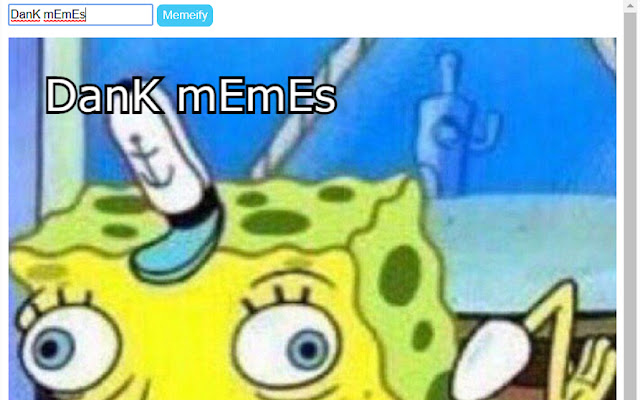
This app is an easy and convenient way to use the Spongebob mocking meme on the go. Just type whatever text you what memeified into…
O que é Memeify?
Memeify é uma extensão do Chrome desenvolvida por jjrylearn, e sua principal característica é "This app is an easy and convenient way to use the Spongebob mocking meme on the go. Just type whatever text you what memeified into…".
Capturas de Tela da Extensão
Baixar o arquivo CRX da Extensão Memeify
Baixe arquivos de extensão Memeify no formato crx, instale manualmente as extensões do Chrome no navegador ou compartilhe os arquivos crx com amigos para instalar facilmente as extensões do Chrome.
Instruções de Uso da Extensão
This app is an easy and convenient way to use the Spongebob mocking meme on the go. Just type whatever text you what memeified into the extensions text box, then press enter and voila! You have a meme'd up picture of spongebob with your text ready to copy and paste. Informações Básicas da Extensão
| Nome |  Memeify Memeify |
| ID | iogidijblegigcogjjbdhbmalmimofad |
| URL Oficial | https://chrome.google.com/webstore/detail/memeify/iogidijblegigcogjjbdhbmalmimofad |
| Descrição | This app is an easy and convenient way to use the Spongebob mocking meme on the go. Just type whatever text you what memeified into… |
| Tamanho do Arquivo | 44.87 KB |
| Contagem de Instalações | 859 |
| Versão Atual | 1.2 |
| Última Atualização | 2017-11-14 |
| Data de Publicação | 2017-11-14 |
| Classificação | 2.33/5 Total de 3 Avaliações |
| Desenvolvedor | jjrylearn |
| Tipo de Pagamento | free |
| Idiomas Suportados | en |
| manifest.json | |
{
"update_url": "https:\/\/clients2.google.com\/service\/update2\/crx",
"manifest_version": 2,
"name": "Memeify",
"version": "1.2",
"content_scripts": [
{
"matches": [
" | |