Image downloader
Image Downloader seeks and helps to download all the images from the web pages. Even those images which are hidden from view.
O que é Image downloader?
Image downloader é uma extensão do Chrome desenvolvida por Image Downloader, e sua principal característica é "Image Downloader seeks and helps to download all the images from the web pages. Even those images which are hidden from view.".
Capturas de Tela da Extensão


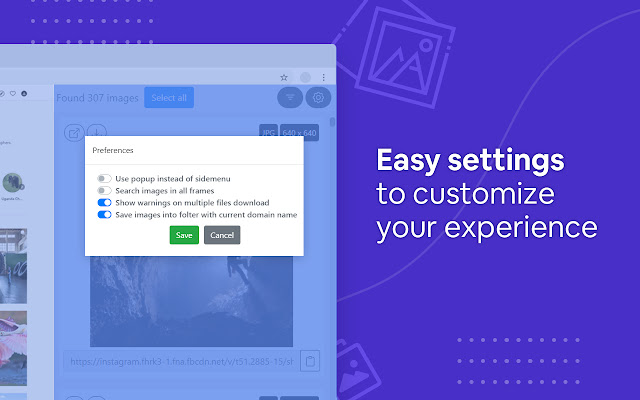
Baixar o arquivo CRX da Extensão Image downloader
Baixe arquivos de extensão Image downloader no formato crx, instale manualmente as extensões do Chrome no navegador ou compartilhe os arquivos crx com amigos para instalar facilmente as extensões do Chrome.
Instruções de Uso da Extensão
                        Image Downloader displays a thumbnail of each image found on the page, with the option to download all of them or just a selection. It is convenient to use if you want to download all images, as it only takes two clicks. First, click the extension's icon and then the download button in the pop-up that opens.

Of course, you can right-click on the images you want to download and choose the save option or pull them from your browser cache where they will automatically appear when you view them in your browser.

Imagine a page with 40 images that you want to download. Instead of right-clicking multiple times, saving an entire page or fetching images from the browser cache, you can use an extension like Image Downloader to speed things up significantly.

It's much more convenient to use an extension that automates the download process for you!

What other useful features do the image downloader have?

☑︎ See images that the page contains and links to
☑︎ Filter them by width, height, and URL
☑︎ Optionally show only images from links
☑︎ Select images to download by clicking on the image
☑︎ Use dedicated buttons to open individual images in new tabs
☑︎ Supporting all principal websites (Instagram, Facebook, Twitter, Pinterest) and many more

Privacy Policy:
We do not collect, store, use, transfer or sell your personal information. In addition, we do not monitor your behavior on the Internet, do not monitor your actions and do not collect web pages that you visit.
Informações Básicas da Extensão
| Nome |  Image downloader Image downloader |
| ID | kdbfjpagopjjaiofmgodphiklmjhcnok |
| URL Oficial | https://chrome.google.com/webstore/detail/image-downloader/kdbfjpagopjjaiofmgodphiklmjhcnok |
| Descrição | Image Downloader seeks and helps to download all the images from the web pages. Even those images which are hidden from view. |
| Tamanho do Arquivo | 701 KB |
| Contagem de Instalações | 200,000 |
| Versão Atual | 0.1.24 |
| Última Atualização | 2022-07-23 |
| Data de Publicação | 2021-02-14 |
| Classificação | 4.10/5 Total de 199 Avaliações |
| Desenvolvedor | Image Downloader |
| [email protected] | |
| Tipo de Pagamento | free |
| URL da Página de Política de Privacidade | http://image-downloader.net/privacy_policy.html |
| Idiomas Suportados | id,ms,de,en,en-GB,en-US,fil,fr,nl,no,vi,tr,ca,da,et,es,es-419,hr,it,lv,lt,hu,pl,pt-BR,pt-PT,ro,sk,sl,fi,sv,cs,el,sr,bg,ru,uk,mr,hi,bn,gu,ta,te,ml,th,zh-CN,zh-TW,ja,ko |
| manifest.json | |
{
"update_url": "https:\/\/clients2.google.com\/service\/update2\/crx",
"background": {
"persistent": true,
"scripts": [
"js\/background.js"
]
},
"browser_action": {
"default_icon": {
"19": "icons\/19.png",
"38": "icons\/38.png"
},
"default_title": "__MSG_extName__"
},
"content_scripts": [
{
"all_frames": false,
"css": [
"css\/content-sidebar.css",
"css\/chunk-common.css",
"css\/sidebar.css"
],
"js": [
"js\/content-sidebar.js",
"js\/chunk-vendors.js",
"js\/chunk-common.js",
"js\/sidebar.js"
],
"matches": [
" | |