Picture Downloader
Picture Downloader. Browse and save - image downloader on webpages.
O que é Picture Downloader?
Picture Downloader é uma extensão do Chrome desenvolvida por Picture Downloader, e sua principal característica é "Picture Downloader. Browse and save - image downloader on webpages.".
Capturas de Tela da Extensão
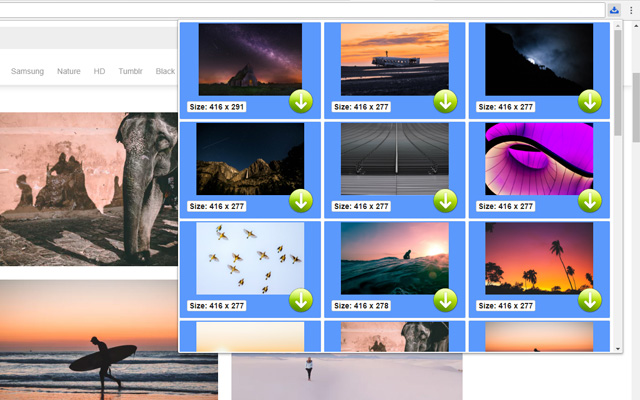
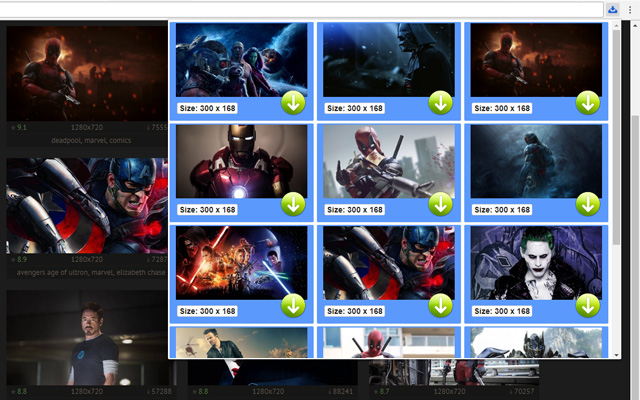

Baixar o arquivo CRX da Extensão Picture Downloader
Baixe arquivos de extensão Picture Downloader no formato crx, instale manualmente as extensões do Chrome no navegador ou compartilhe os arquivos crx com amigos para instalar facilmente as extensões do Chrome.
Instruções de Uso da Extensão
                        Picture Downloader is useful tool for displaying, browsing and downloading photos from any webpages.

* Finds pictures on any websites.
* The size of each image is displayed.
* Image download to your hard disk.

How it works
************
* Click to the icon on current webpage.
* Here you can start downloading.

Fast and professional Picture Downloader for all users.
Informações Básicas da Extensão
| Nome |  Picture Downloader Picture Downloader |
| ID | kokbcpaapofnbifgdlmokekjphgdlphp |
| URL Oficial | https://chrome.google.com/webstore/detail/picture-downloader/kokbcpaapofnbifgdlmokekjphgdlphp |
| Descrição | Picture Downloader. Browse and save - image downloader on webpages. |
| Tamanho do Arquivo | 91.22 KB |
| Contagem de Instalações | 8,193 |
| Versão Atual | 1.2.2 |
| Última Atualização | 2022-11-27 |
| Data de Publicação | 2020-03-11 |
| Classificação | 2.79/5 Total de 29 Avaliações |
| Desenvolvedor | Picture Downloader |
| [email protected] | |
| Tipo de Pagamento | free |
| Idiomas Suportados | en |
| manifest.json | |
{
"update_url": "https:\/\/clients2.google.com\/service\/update2\/crx",
"version": "1.2.2",
"name": "Picture Downloader",
"description": "Picture Downloader. Browse and save - image downloader on webpages.",
"background": {
"scripts": [
"jquery.js",
"background.js"
]
},
"browser_action": {
"default_icon": "img\/ico_19.png",
"default_popup": "popup.html"
},
"content_security_policy": "script-src 'self'; object-src 'self'",
"icons": {
"128": "img\/ico_128.png",
"16": "img\/ico_16.png",
"48": "img\/ico_48.png"
},
"manifest_version": 2,
"permissions": [
"activeTab",
" | |