Journal access through HKU library
A simple chrome extension that let you access journal through HKU library resources (HKU ID needed).
O que é Journal access through HKU library?
Journal access through HKU library é uma extensão do Chrome desenvolvida por junyichen, e sua principal característica é "A simple chrome extension that let you access journal through HKU library resources (HKU ID needed).".
Capturas de Tela da Extensão
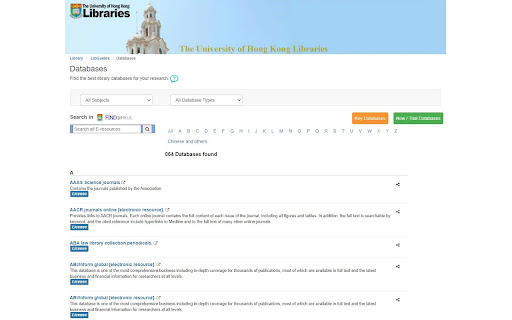

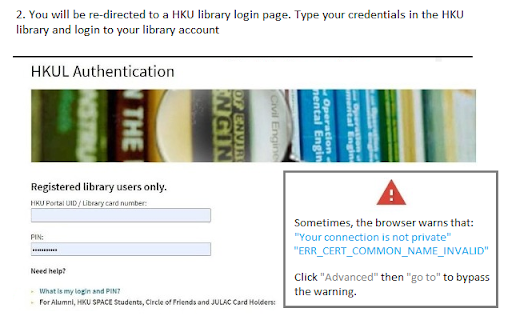
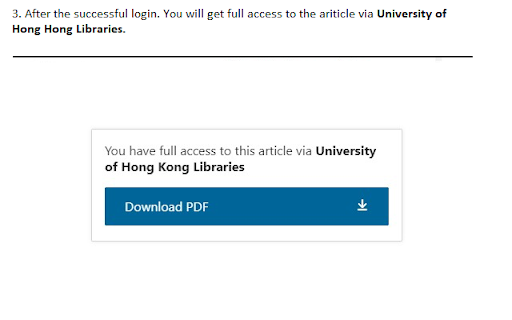
Baixar o arquivo CRX da Extensão Journal access through HKU library
Baixe arquivos de extensão Journal access through HKU library no formato crx, instale manualmente as extensões do Chrome no navegador ou compartilhe os arquivos crx com amigos para instalar facilmente as extensões do Chrome.
Instruções de Uso da Extensão
An extension that redirect you from the journal page to the HKU library portal. You need to login the HKU library. The extension will automatically parse the current URL of the current paper page to the HKU library address. Informações Básicas da Extensão
| Nome |  Journal access through HKU library Journal access through HKU library |
| ID | lcnnijjgcjfpcfjgnahbcpapbmkiceld |
| URL Oficial | https://chromewebstore.google.com/detail/journal-access-through-hk/lcnnijjgcjfpcfjgnahbcpapbmkiceld |
| Descrição | A simple chrome extension that let you access journal through HKU library resources (HKU ID needed). |
| Tamanho do Arquivo | 47.64 KB |
| Contagem de Instalações | 135 |
| Versão Atual | 0.0.1 |
| Última Atualização | 2021-09-02 |
| Data de Publicação | 2021-08-04 |
| Desenvolvedor | junyichen |
| [email protected] | |
| Tipo de Pagamento | free |
| Idiomas Suportados | en-US |
| manifest.json | |
{
    "update_url": "https:\/\/clients2.google.com\/service\/update2\/crx",
    "manifest_version": 2,
    "name": "Journal access through HKU library",
    "short_name": "HKULibJ",
    "description": "A simple chrome extension that let you access journal through HKU library resources (HKU ID needed).",
    "version": "0.0.1",
    "minimum_chrome_version": "38",
    "permissions": [
        "contextMenus",
        "tabs"
    ],
    "icons": {
        "16": "assets\/icon16.png",
        "128": "assets\/icon128.png"
    },
    "background": {
        "page": "background.html"
    }
} | |