Securify Identity Plugin
Securify Identity browser extension used for logging into single sign-on applications.
O que é Securify Identity Plugin?
Securify Identity Plugin é uma extensão do Chrome desenvolvida por https://securifyidentity.com, e sua principal característica é "Securify Identity browser extension used for logging into single sign-on applications.".
Capturas de Tela da Extensão
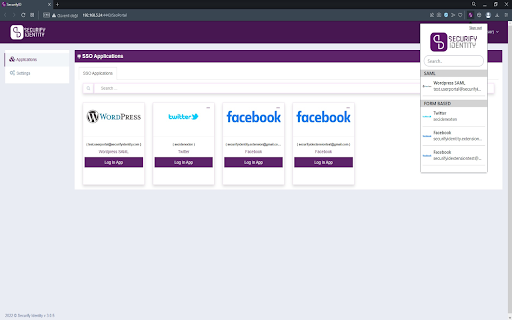
Baixar o arquivo CRX da Extensão Securify Identity Plugin
Baixe arquivos de extensão Securify Identity Plugin no formato crx, instale manualmente as extensões do Chrome no navegador ou compartilhe os arquivos crx com amigos para instalar facilmente as extensões do Chrome.
Instruções de Uso da Extensão
                        SecurifyID provides single sign-on services for their customers using protocols such as SAML and OpenID Connect. To support form-based websites, we also offer a browser extension that automatically fills in credentials saved before for these types of websites. These usernames and passwords are organizational and added by customers using our portal, and they are kept encrypted on our servers. The SecurifyID extension works as follows:
1) After a user logs in, a list of users' single sign on websites is downloaded and stored.
2) The user can either open a website through the extension or the SecurifyID portal.
3) The extension sends a query to the back-end server and requests the user's password for that particular website.
4) The extension fills in the username and password fields and logs the user in accordingly.
Informações Básicas da Extensão
| Nome |  Securify Identity Plugin Securify Identity Plugin |
| ID | mojobmhedhllbmbbmfigjkoconcenebn |
| URL Oficial | https://chromewebstore.google.com/detail/securify-identity-plugin/mojobmhedhllbmbbmfigjkoconcenebn |
| Descrição | Securify Identity browser extension used for logging into single sign-on applications. |
| Tamanho do Arquivo | 2.13 MB |
| Contagem de Instalações | 69 |
| Versão Atual | 0.0.0.3 |
| Última Atualização | 2023-11-19 |
| Data de Publicação | 2022-12-28 |
| Classificação | 5.00/5 Total de 2 Avaliações |
| Desenvolvedor | https://securifyidentity.com |
| [email protected] | |
| Tipo de Pagamento | free |
| Site da Extensão | https://www.securifyidentity.com/ |
| URL da Página de Ajuda | https://www.securifyidentity.com/contact |
| URL da Página de Política de Privacidade | https://securifyid.com/legal/privacy-policy |
| Idiomas Suportados | en |
| manifest.json | |
{
"update_url": "https:\/\/clients2.google.com\/service\/update2\/crx",
"manifest_version": 3,
"name": "Securify Identity Plugin",
"description": "Securify Identity browser extension used for logging into single sign-on applications.",
"version": "0.0.0.3",
"options_page": "views\/options.html",
"permissions": [
"storage",
"webRequest"
],
"host_permissions": [
" | |