Clickish fun cursors
Hundreds of fun cursors for your browser. Change your cursor now.
O que é Clickish fun cursors?
Clickish fun cursors é uma extensão do Chrome desenvolvida por tjoenc53, e sua principal característica é "Hundreds of fun cursors for your browser. Change your cursor now.".
Capturas de Tela da Extensão
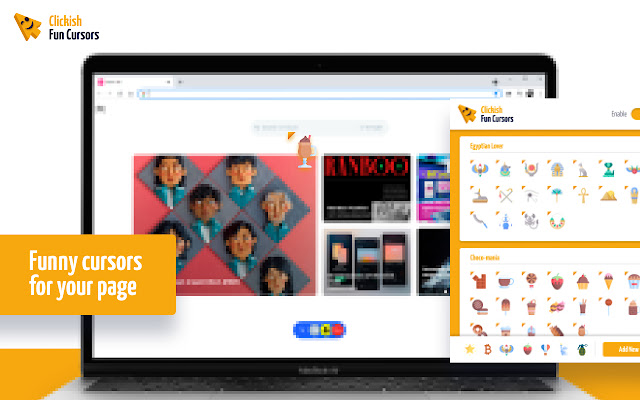
Baixar o arquivo CRX da Extensão Clickish fun cursors
Baixe arquivos de extensão Clickish fun cursors no formato crx, instale manualmente as extensões do Chrome no navegador ou compartilhe os arquivos crx com amigos para instalar facilmente as extensões do Chrome.
Instruções de Uso da Extensão
                        Clickish fun cursors is a unique extension that allows you to change the usual mouse pointer to a fun custom cursor.
Create your own collection of mouse cursors from any images.

Features:
A lot of themes and presets
Customize your own cursor
Unable or disable with one click

Download now and enjoy your new funny cursors.
Informações Básicas da Extensão
| Nome |  Clickish fun cursors Clickish fun cursors |
| ID | pbdpfhmbdldfoioggnphkiocpidecmbp |
| URL Oficial | https://chrome.google.com/webstore/detail/pbdpfhmbdldfoioggnphkiocpidecmbp |
| Descrição | Hundreds of fun cursors for your browser. Change your cursor now. |
| Tamanho do Arquivo | 6.58 MB |
| Contagem de Instalações | 2,372,706 |
| Versão Atual | 1.1.6 |
| Última Atualização | 2023-03-04 |
| Data de Publicação | 2021-12-15 |
| Classificação | 4.10/5 Total de 50 Avaliações |
| Desenvolvedor | tjoenc53 |
| [email protected] | |
| Tipo de Pagamento | free |
| URL da Página de Política de Privacidade | https://docs.google.com/document/d/1hlGyn6q9ms86uq8eoU0YcRVp1lxDV6_-txw4Z6VysbM/edit?usp=sharing |
| Idiomas Suportados | id,ms,de,en,en-GB,en-US,fil,fr,nl,no,vi,tr,ca,da,et,es,es-419,hr,it,lv,lt,hu,pl,pt-BR,pt-PT,ro,sk,sl,fi,sv,cs,el,sr,bg,ru,uk,mr,hi,bn,gu,ta,te,ml,th,zh-CN,zh-TW,ja,ko |
| manifest.json | |
{
"update_url": "https:\/\/clients2.google.com\/service\/update2\/crx",
"author": "Clickish fun cursors",
"background": {
"scripts": [
"js\/background.js"
],
"persistent": true
},
"browser_action": {
"default_icon": {
"16": "icons\/icon16.png",
"48": "icons\/icon48.png",
"128": "icons\/icon128.png",
"300": "icons\/icon300.png"
},
"default_title": "__MSG_extName__",
"default_popup": "html\/popup.html"
},
"content_scripts": [
{
"matches": [
"http:\/\/*\/*",
"https:\/\/*\/*"
],
"js": [
"js\/customCursor.js"
],
"all_frames": true,
"match_about_blank": true,
"run_at": "document_idle"
}
],
"content_security_policy": "script-src 'self'; object-src 'self'",
"default_locale": "en",
"description": "__MSG_extShortDesc__",
"icons": {
"16": "icons\/icon16.png",
"48": "icons\/icon48.png",
"128": "icons\/icon128.png",
"300": "icons\/icon300.png"
},
"incognito": "split",
"manifest_version": 2,
"minimum_chrome_version": "55.0",
"name": "__MSG_extName__",
"options_page": "html\/settings.html",
"permissions": [
"storage",
" | |