Toggle YouTube Comments
Hides YouTube comments by default
Что такое Toggle YouTube Comments?
Toggle YouTube Comments - это расширение Chrome, разработанное Dennis & Friends, и его основная функция - "Hides YouTube comments by default".
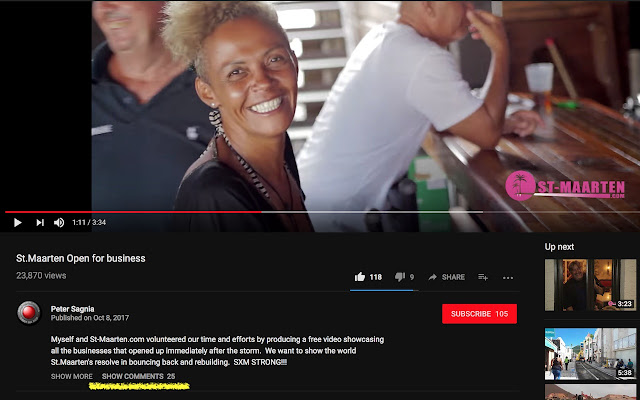
Снимки экрана расширения


Скачать файл CRX расширения Toggle YouTube Comments
Скачайте файлы расширений Toggle YouTube Comments в формате crx, установите расширения Chrome вручную в браузере или поделитесь файлами crx с друзьями, чтобы легко установить расширения Chrome.
Инструкции по использованию расширения
                        Add this lightweight extension to disable/enable YouTube comments.

 • Works with the new and old YouTube
 • Flexibility to easily hide or show comments
 • Blends in with YouTube's user interface
 • Shows number of comments when hidden
 • No tracking, your privacy is important
 • Extremely small size - no bloat
 • Actively maintained
 • Open source code

See https://git.io/v5RgW for release notes.
Основная информация о расширении
| Название |  Toggle YouTube Comments Toggle YouTube Comments |
| ID | ampjnmipdgicjjidohpkidhghakoidfm |
| Официальный URL | https://chrome.google.com/webstore/detail/toggle%C2%A0youtube%C2%A0comments/ampjnmipdgicjjidohpkidhghakoidfm |
| Описание | Hides YouTube comments by default |
| Размер файла | 8.03 KB |
| Количество установок | 479 |
| Текущая Версия | 4.1.3 |
| Последнее Обновление | 2019-05-06 |
| Дата публикации | 2019-05-06 |
| Рейтинг | 3.68/5 Всего 38 оценок |
| Разработчик | Dennis & Friends |
| Тип оплаты | free |
| Официальный сайт расширения | https://github.com/dideler/toggle-youtube-comments |
| URL страницы помощи | https://github.com/dideler/toggle-youtube-comments |
| Поддерживаемые языки | en,ja |
| manifest.json | |
{
    "update_url": "https:\/\/clients2.google.com\/service\/update2\/crx",
    "manifest_version": 2,
    "name": "__MSG_extension_name__",
    "description": "__MSG_extension_desc__",
    "version": "4.1.3",
    "default_locale": "en",
    "icons": {
        "16": "icons\/16.png",
        "32": "icons\/32.png",
        "128": "icons\/128.png"
    },
    "content_scripts": [
        {
            "matches": [
                "http:\/\/*.youtube.com\/*",
                "https:\/\/*.youtube.com\/*"
            ],
            "js": [
                "script.js"
            ],
            "css": [
                "youtube.css"
            ],
            "run_at": "document_end"
        }
    ]
} | |