qSnap: Screen Capture, Screenshot, Annotation
Get more out of your screen captures! Free - Cross Browser - Multiple Page Screen Capture - Rich Annotation - Awesome!
Что такое qSnap: Screen Capture, Screenshot, Annotation?
qSnap: Screen Capture, Screenshot, Annotation - это расширение Chrome, разработанное https://qsnapnet.com, и его основная функция - "Get more out of your screen captures! Free - Cross Browser - Multiple Page Screen Capture - Rich Annotation - Awesome!".
Снимки экрана расширения


Скачать файл CRX расширения qSnap: Screen Capture, Screenshot, Annotation
Скачайте файлы расширений qSnap: Screen Capture, Screenshot, Annotation в формате crx, установите расширения Chrome вручную в браузере или поделитесь файлами crx с друзьями, чтобы легко установить расширения Chrome.
Инструкции по использованию расширения
                        [What sets qSnap Apart]
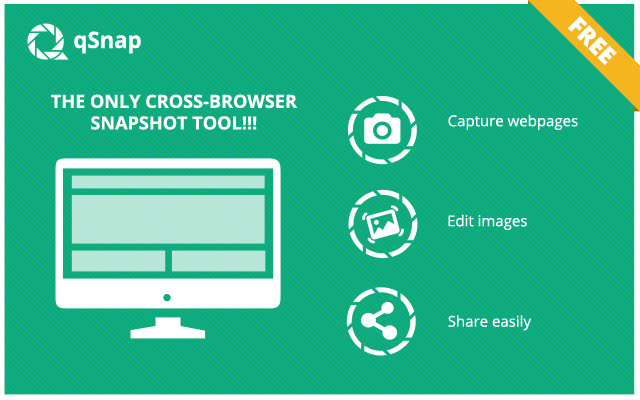
qSnap is the browser based, cross-platform screen capture tool available!  With a click you can capture either visible screen or full screen and automatically have multiple captures consolidated into a single, lightweight document!
As a light plug-in to your browser, qSnap is always available to you to easily capture one or multiple screen images.  Enrich your images with in-line note boxes and callouts and seamlessly share your image documentation.  And all this completely FREE!

[Capture Single or Multiple Webpages]
-With a simple click “snap” a shot of a webpage
-Continue to click if you have multiple webpages to capture
-qSnap stores your snapped captures to your tray for editing
-Capture visible screen or full page

[Edit Image Captures]
-Edit your snapshots with the built-in annotation tools
-Circle, highlight, crop, add notes
-Hide sensitive information
-Create a rich digital dialogue through your captures

[Share/Save Your Captures]
-Use our free hosting service to store your captures
-We store each file free for 30 days
-Share a file URL
-Save your snapped captures locally
-Email your snapped captures directly

Version 1.4.1.6:
Bug fixed: cannot load screenshot to the editor for the first time.

Version 1.4.1.5:
Bug fixed: missing activeTab permission.

Version 1.4.1.4:
Removed unwanted permissions following Chrome Web Store updated policy

Version 1.4.1.3:
Removed unwanted permissions following Chrome Web Store updated policy

Version 1.4.1.2:
Removed unwanted permissions.

Version 1.4.1.1:
Fixed issue with connecting to qsnapnet.com (without www)

Version 1.4.1.0:
* Fix permission issue happening on Chrome 34
Version 1.4.0.0:
* Support exporting snaps to PNG format, default is JPG. Change this from Setting dialog
* Various bug fixes and enhancement.
Version 1.3.0.0:
* Change term Album to Folder
* Uploading snap(s) to a specific folder on https://qsnapnet.com
Основная информация о расширении
| Название |  qSnap: Screen Capture, Screenshot, Annotation qSnap: Screen Capture, Screenshot, Annotation |
| ID | bijakfpegjnjmfdoiloebhaemhomjkon |
| Официальный URL | https://chrome.google.com/webstore/detail/qsnap-screen-capture-scre/bijakfpegjnjmfdoiloebhaemhomjkon |
| Описание | Get more out of your screen captures! Free - Cross Browser - Multiple Page Screen Capture - Rich Annotation - Awesome! |
| Размер файла | 274 KB |
| Количество установок | 40,000 |
| Текущая Версия | 1.4.1.6 |
| Последнее Обновление | 2021-11-08 |
| Дата публикации | 2019-01-10 |
| Рейтинг | 4.02/5 Всего 399 оценок |
| Разработчик | https://qsnapnet.com |
| Электронная почта | [email protected] |
| Тип оплаты | free |
| Официальный сайт расширения | https://qsnapnet.com |
| URL страницы политики конфиденциальности | https://www.tricentis.com/legal-information/privacy-policy |
| Поддерживаемые языки | en-US |
| manifest.json | |
{
    "background": {
        "page": "background.html"
    },
    "browser_action": {
        "default_icon": "icons\/icon_19_inactive.png",
        "default_popup": "popup.html",
        "default_title": "Capture current page using qSnap"
    },
    "content_scripts": [
        {
            "js": [
                "content_script.js"
            ],
            "matches": [
                "http:\/\/*\/*",
                "https:\/\/*\/*"
            ]
        }
    ],
    "content_security_policy": "script-src 'self' 'unsafe-eval'; object-src 'self'",
    "description": "Get more out of your screen captures! Free - Cross Browser - Multiple Page Screen Capture - Rich Annotation - Awesome!",
    "homepage_url": "https:\/\/www.qsnapnet.com",
    "icons": {
        "128": "icons\/icon_128.png",
        "16": "icons\/icon_16.png",
        "19": "icons\/icon_19.png",
        "32": "icons\/icon_32.png",
        "48": "icons\/icon_48.png"
    },
    "key": "MIGfMA0GCSqGSIb3DQEBAQUAA4GNADCBiQKBgQCLgg65kFQah22x5CKwg5r99jAHyAjjLdI16FBtnAZYcjpr69AK5hZy6njhXlAMMNBB\/zYwGw4jZEGdf9cIzKb2ym0IiiwiUEHpJg2zF8ZSSF2unl0R\/6QRSP4zdUFpoVBvvcaniG724HuVn4pZdRTeQoHGcgmvrlYFjw2JmEFNcQIDAQAB",
    "manifest_version": 2,
    "name": "qSnap: Screen Capture, Screenshot, Annotation",
    "permissions": [
        "http:\/\/*\/*",
        "https:\/\/*\/*",
        "activeTab",
        "tabs"
    ],
    "short_name": "qSnap",
    "update_url": "https:\/\/clients2.google.com\/service\/update2\/crx",
    "version": "1.4.1.6",
    "web_accessible_resources": [
        "editor\/editor.html"
    ]
} | |