Ariana Grande - New Tab page
Custom new tab and homepage page with Ariana Grande as background
Что такое Ariana Grande - New Tab page?
Ariana Grande - New Tab page - это расширение Chrome, разработанное deluuxe, и его основная функция - "Custom new tab and homepage page with Ariana Grande as background".
Снимки экрана расширения
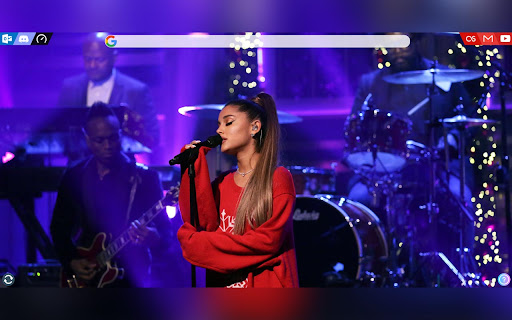
Скачать файл CRX расширения Ariana Grande - New Tab page
Скачайте файлы расширений Ariana Grande - New Tab page в формате crx, установите расширения Chrome вручную в браузере или поделитесь файлами crx с друзьями, чтобы легко установить расширения Chrome.
Инструкции по использованию расширения
                        A extention which replaces all new tabpages in chrome, opera and edge (chromium) with a homepage with high-res images of ariana.

It features a google search bar with auto-completion
and some handy links.
you can also enter urls in the searchbar and it will take you straight there.

Demo: https://ag.24-7.dev/

Tested browsers: Opera, Chrome, ms Edge (chromium)

Vivaldi users: you can set a custom url as new tab page in the settings of your browser, you can set it to "https://ag-homepage.ga" to get the same result as this plugin
Основная информация о расширении
| Название |  Ariana Grande - New Tab page Ariana Grande - New Tab page |
| ID | bimbcifmkdfhjmnekpnlhcggndfjcfak |
| Официальный URL | https://chromewebstore.google.com/detail/ariana-grande-new-tab-pag/bimbcifmkdfhjmnekpnlhcggndfjcfak |
| Описание | Custom new tab and homepage page with Ariana Grande as background |
| Размер файла | 16.93 MB |
| Количество установок | 59 |
| Текущая Версия | 3.3.6 |
| Последнее Обновление | 2021-12-06 |
| Дата публикации | 2020-05-02 |
| Разработчик | deluuxe |
| Электронная почта | [email protected] |
| Тип оплаты | free |
| Официальный сайт расширения | https://ag.24-7.dev |
| Поддерживаемые языки | en-US |
| manifest.json | |
{
    "update_url": "https:\/\/clients2.google.com\/service\/update2\/crx",
    "name": "Ariana Grande - New Tab page",
    "description": "Custom new tab and homepage page with Ariana Grande as background",
    "version": "3.3.6",
    "author": "DELUUXE",
    "incognito": "spanning",
    "permissions": [
        "tabs",
        "windows"
    ],
    "background": {
        "service_worker": "sw.js"
    },
    "action": {
        "default_icon": "images\/icon128.png",
        "default_popup": "popup.html"
    },
    "icons": {
        "48": "images\/icon128.png",
        "128": "images\/icon128.png"
    },
    "manifest_version": 3
} | |


