Chromebook Simulator
This extension one-click resizes your window to the typical size of a fullscreen Chromebook. It is very simple.
Что такое Chromebook Simulator?
Chromebook Simulator - это расширение Chrome, разработанное Andrew Sutherland, и его основная функция - "This extension one-click resizes your window to the typical size of a fullscreen Chromebook. It is very simple.".
Снимки экрана расширения
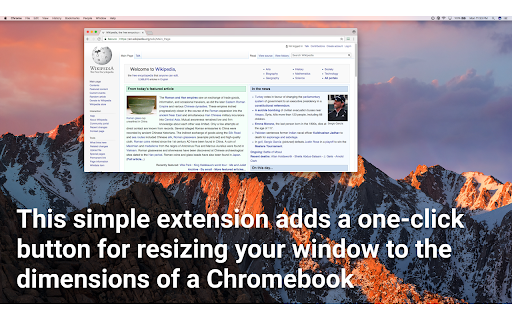
Скачать файл CRX расширения Chromebook Simulator
Скачайте файлы расширений Chromebook Simulator в формате crx, установите расширения Chrome вручную в браузере или поделитесь файлами crx с друзьями, чтобы легко установить расширения Chrome.
Инструкции по использованию расширения
                        This is useful if you're a developer working on an educational technology product that is frequently used by users who have Chromebooks, but you have a larger monitor than a Chromebook.

Features
- No permissions required. No overhead
- One-click instant resize; nothing fancier than that!

Notes:
Typical Chromebook resolution is 1366x768, though we shave 48 pixels from the bottom because Chromebooks reserve the bottom 48px for the application bar.
Основная информация о расширении
| Название |  Chromebook Simulator Chromebook Simulator |
| ID | cmdpfacmlgednonhndniedecknojeaeb |
| Официальный URL | https://chromewebstore.google.com/detail/chromebook-simulator/cmdpfacmlgednonhndniedecknojeaeb |
| Описание | This extension one-click resizes your window to the typical size of a fullscreen Chromebook. It is very simple. |
| Размер файла | 9.5 KB |
| Количество установок | 3,148 |
| Текущая Версия | 1.0 |
| Последнее Обновление | 2017-04-18 |
| Дата публикации | 2017-04-18 |
| Рейтинг | 2.69/5 Всего 16 оценок |
| Разработчик | Andrew Sutherland |
| Тип оплаты | free |
| Официальный сайт расширения | https://github.com/asuth/chromebook-simulator |
| Поддерживаемые языки | en |
| manifest.json | |
{
    "update_url": "https:\/\/clients2.google.com\/service\/update2\/crx",
    "manifest_version": 2,
    "name": "Chromebook Simulator",
    "description": "This extension one-click resizes your window to the typical size of a fullscreen Chromebook. It is very simple.",
    "version": "1.0",
    "author": "Andrew Sutherland",
    "background": {
        "scripts": [
            "background.js"
        ],
        "persistent": false
    },
    "browser_action": {
        "default_icon": {
            "16": "icon16.png",
            "24": "icon24.png",
            "32": "icon32.png"
        }
    },
    "permissions": [
        "activeTab"
    ]
} | |