Print Google Doc with Comments
Print Google Doc with Comments
Что такое Print Google Doc with Comments?
Print Google Doc with Comments - это расширение Chrome, разработанное theclassisflat, и его основная функция - "Print Google Doc with Comments".
Снимки экрана расширения
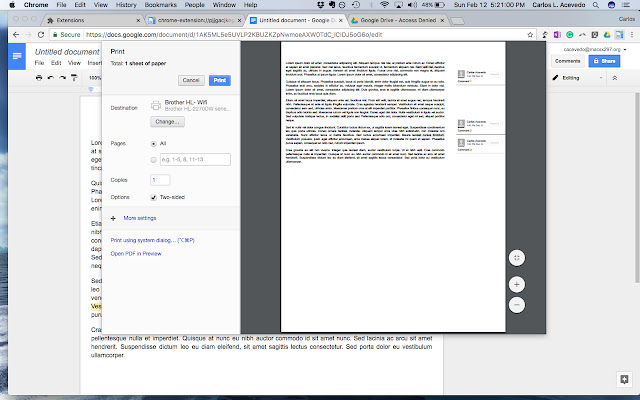
Скачать файл CRX расширения Print Google Doc with Comments
Скачайте файлы расширений Print Google Doc with Comments в формате crx, установите расширения Chrome вручную в браузере или поделитесь файлами crx с друзьями, чтобы легко установить расширения Chrome.
Инструкции по использованию расширения
This extension was developed by a teacher for teachers. Showing a student's progress is important when reflecting on a multi-draft assignment. This extension does just what it is titled to do. Teachers -- or anyone -- who would like to print a Google Doc with comments directly from the browser can now do so easily. No longer will you need to download a Google Doc as either an HTML file or a .docx to print. Основная информация о расширении
| Название |  Print Google Doc with Comments Print Google Doc with Comments |
| ID | cohkclffagpcbnkiobagmipplkpoagbg |
| Официальный URL | https://chrome.google.com/webstore/detail/print-google-doc-with-com/cohkclffagpcbnkiobagmipplkpoagbg |
| Описание | Print Google Doc with Comments |
| Размер файла | 754 KB |
| Количество установок | 10,000 |
| Текущая Версия | 1.2.0 |
| Последнее Обновление | 2017-02-12 |
| Дата публикации | 2017-02-12 |
| Рейтинг | 1.85/5 Всего 41 оценок |
| Разработчик | theclassisflat |
| Электронная почта | [email protected] |
| Тип оплаты | free |
| Поддерживаемые языки | en-US |
| manifest.json | |
{
    "update_url": "https:\/\/clients2.google.com\/service\/update2\/crx",
    "author": "Muthukumaran Navaneethakrishnan(https:\/\/github.com\/muthuishere)",
    "background": {
        "scripts": [
            "scripts\/global.js"
        ]
    },
    "description": "Print Google Doc with Comments",
    "icons": {
        "128": "images\/google-doc-print-128.png",
        "48": "images\/google-doc-print-48.png",
        "64": "images\/google-doc-print-64.png"
    },
    "page_action": {
        "default_icon": "images\/google-doc-print-19.png",
        "default_title": "Print Google Doc with Comments"
    },
    "manifest_version": 2,
    "name": "Print Google Doc with Comments",
    "options_page": "faq\/index.html",
    "permissions": [
        "tabs",
        "declarativeContent",
        "notifications",
        "https:\/\/*\/*"
    ],
    "short_name": "google-doc-print",
    "version": "1.2.0",
    "web_accessible_resources": [
        "images\/*.png",
        "images\/*.svg",
        "faq\/images\/*.png",
        "donate.html"
    ]
} | |