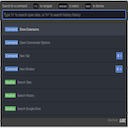
Command Palette
Speed up your productivity without having to learn keyboard shortcuts.
Что такое Command Palette?
Command Palette - это расширение Chrome, разработанное athal7, и его основная функция - "Speed up your productivity without having to learn keyboard shortcuts.".
Снимки экрана расширения


Скачать файл CRX расширения Command Palette
Скачайте файлы расширений Command Palette в формате crx, установите расширения Chrome вручную в браузере или поделитесь файлами crx с друзьями, чтобы легко установить расширения Chrome.
Инструкции по использованию расширения
                        Want to improve your productivity, but don't want to learn keyboard shortcuts? With Command Palette, you can become a power user instantly, with a single command.

Supported Websites:
- Gmail

Vote for more sites here: https://github.com/sponsors/athal7
Основная информация о расширении
| Название |  Command Palette Command Palette |
| ID | cpnjadnfdpmdfplhnfjbgngcokgmkmpd |
| Официальный URL | https://chromewebstore.google.com/detail/command-palette/cpnjadnfdpmdfplhnfjbgngcokgmkmpd |
| Описание | Speed up your productivity without having to learn keyboard shortcuts. |
| Размер файла | 105 KB |
| Количество установок | 31 |
| Текущая Версия | 0.3.0 |
| Последнее Обновление | 2020-07-25 |
| Дата публикации | 2020-07-24 |
| Рейтинг | 5.00/5 Всего 1 оценок |
| Разработчик | athal7 |
| Электронная почта | [email protected] |
| Тип оплаты | free |
| Поддерживаемые языки | en |
| manifest.json | |
{
    "update_url": "https:\/\/clients2.google.com\/service\/update2\/crx",
    "name": "Command Palette",
    "description": "Speed up your productivity without having to learn keyboard shortcuts.",
    "version": "0.3.0",
    "content_scripts": [
        {
            "matches": [
                "https:\/\/mail.google.com\/*"
            ],
            "js": [
                "content-script.js"
            ]
        }
    ],
    "permissions": [
        "storage"
    ],
    "options_ui": {
        "page": "options.html",
        "chrome_style": true
    },
    "browser_action": {
        "default_icon": {
            "16": "icon-16.png",
            "32": "icon-32.png",
            "48": "icon-48.png",
            "128": "icon-128.png"
        },
        "default_popup": "options.html"
    },
    "icons": {
        "16": "icon-16.png",
        "32": "icon-32.png",
        "48": "icon-48.png",
        "128": "icon-128.png"
    },
    "manifest_version": 2
} | |