Save Notes
Create notes and save important bullet points from an article
Что такое Save Notes?
Save Notes - это расширение Chrome, разработанное Swati Kp, и его основная функция - "Create notes and save important bullet points from an article".
Снимки экрана расширения
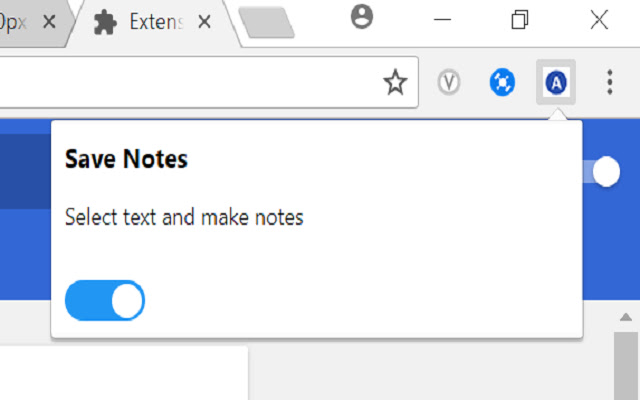


Скачать файл CRX расширения Save Notes
Скачайте файлы расширений Save Notes в формате crx, установите расширения Chrome вручную в браузере или поделитесь файлами crx с друзьями, чтобы легко установить расширения Chrome.
Инструкции по использованию расширения
                        Increase your productivity.
A chrome extension that lets you save important points from any article on a website to text file.
You can create notes anytime, just select the text you want to save to a file,
You will see 2 buttons:
Add to file
Save File

Keep on adding the text to the file and at the end just choose save file option.

A file will be downloaded with all the bullet points you selected and added to file.

There is a toggle button as well to turn on or off the extension anytime
Основная информация о расширении
| Название |  Save Notes Save Notes |
| ID | dhngchhcdfdmpbkekjpbophjdfccmlfc |
| Официальный URL | https://chrome.google.com/webstore/detail/save-notes/dhngchhcdfdmpbkekjpbophjdfccmlfc |
| Описание | Create notes and save important bullet points from an article |
| Размер файла | 262 KB |
| Количество установок | 161 |
| Текущая Версия | 0.5 |
| Последнее Обновление | 2018-03-13 |
| Дата публикации | 2018-03-13 |
| Рейтинг | 4.00/5 Всего 6 оценок |
| Разработчик | Swati Kp |
| Электронная почта | [email protected] |
| Тип оплаты | free |
| Поддерживаемые языки | en-US |
| manifest.json | |
{
"update_url": "https:\/\/clients2.google.com\/service\/update2\/crx",
"name": "Save Notes",
"version": "0.5",
"description": "Create notes and save important bullet points from an article",
"background": {
"page": "bg.html"
},
"browser_action": {
"default_popup": "popup.html",
"default_icon": "on.png"
},
"manifest_version": 2,
"content_scripts": [
{
"matches": [
" | |