New Tab Bible Verses
Bible verses delivered every time you open up a new tab.
Что такое New Tab Bible Verses?
New Tab Bible Verses - это расширение Chrome, разработанное The Mindful Tech Lab, и его основная функция - "Bible verses delivered every time you open up a new tab.".
Снимки экрана расширения


Скачать файл CRX расширения New Tab Bible Verses
Скачайте файлы расширений New Tab Bible Verses в формате crx, установите расширения Chrome вручную в браузере или поделитесь файлами crx с друзьями, чтобы легко установить расширения Chrome.
Инструкции по использованию расширения
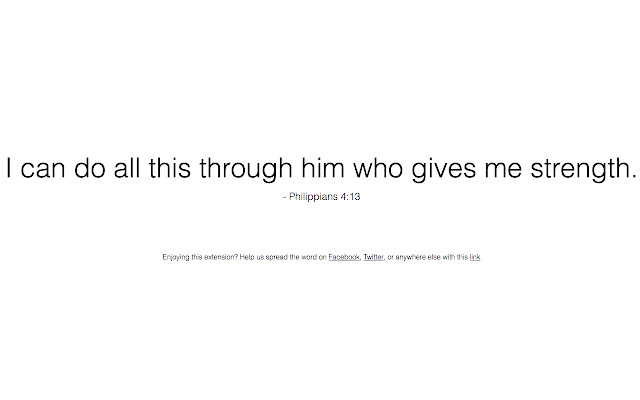
                        New Tab Bible Verses replaces your new tab page with a selection of randomized Bible verses displayed in a minimalist layout. There’s no better way to inject Bible verses into your daily routine than to add this simple extension.

A project in collaboration with Dr. Jeremy Roberts, Lead Pastor of The Church of Highlands and adjunct professor at Liberty University. You can reach out to him at [email protected]
Основная информация о расширении
| Название |  New Tab Bible Verses New Tab Bible Verses |
| ID | djlpnhfkmaghdcfdmajkkefmjnmiidbc |
| Официальный URL | https://chrome.google.com/webstore/detail/new-tab-bible-verses/djlpnhfkmaghdcfdmajkkefmjnmiidbc |
| Описание | Bible verses delivered every time you open up a new tab. |
| Размер файла | 42.51 KB |
| Количество установок | 711 |
| Текущая Версия | 1.8 |
| Последнее Обновление | 2017-01-13 |
| Дата публикации | 2017-01-13 |
| Рейтинг | 4.83/5 Всего 143 оценок |
| Разработчик | The Mindful Tech Lab |
| Электронная почта | [email protected] |
| Тип оплаты | free |
| Поддерживаемые языки | en |
| manifest.json | |
{
    "update_url": "https:\/\/clients2.google.com\/service\/update2\/crx",
    "manifest_version": 2,
    "content_security_policy": "script-src 'self' https:\/\/ssl.google-analytics.com; object-src 'self'",
    "name": "New Tab Bible Verses",
    "description": "Bible verses delivered every time you open up a new tab.",
    "version": "1.8",
    "browser_action": {
        "default_icon": "icon.png"
    },
    "permissions": [
        "management"
    ],
    "chrome_url_overrides": {
        "newtab": "index.html"
    },
    "icons": {
        "16": "icon16.png",
        "48": "icon48.png",
        "128": "icon128.png"
    }
} | |