Web Screenshot
Takes Web and Desktop screenshots with a single click
Что такое Web Screenshot?
Web Screenshot - это расширение Chrome, разработанное extensionc8, и его основная функция - "Takes Web and Desktop screenshots with a single click".
Снимки экрана расширения

Скачать файл CRX расширения Web Screenshot
Скачайте файлы расширений Web Screenshot в формате crx, установите расширения Chrome вручную в браузере или поделитесь файлами crx с друзьями, чтобы легко установить расширения Chrome.
Инструкции по использованию расширения
                        Web screenshot Chrome extension let users capture the visible part of the screen easily. It also enables users to screenshot a specific browser tab, active page, desktop or window. Web screen capture is the fastest, most convenient, and easiest way to take screenshots.

Key Features of Web Screenshot Tool: -
-Captures the visible portion of the desktop screen accurately.
-Takes screenshots of specific browser tabs and desktop windows
-Simple user interface
-A completely free desktop screenshot tool

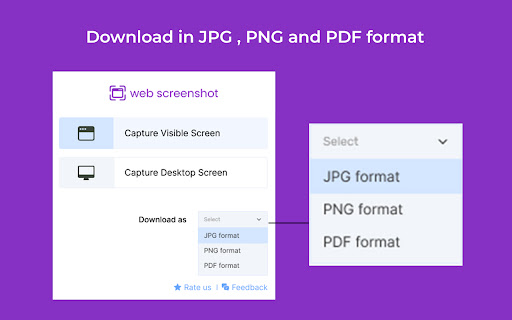
Save Web Screenshots in JPG, PNG and PDF Format: -

After capturing the screenshot with this tool screenshot can be saved in three formats on PC: JPG, PNG & PDF.

Why Is This the Best Web page Capturing Tool for PCs and Desktops?
-Captures high quality screenshots
-Works smoothly on mac and window platform
-Regularly updated by developers to improve the performance
Основная информация о расширении
| Название |  Web Screenshot Web Screenshot |
| ID | dmcjalhehbkkbcmdpgmefmhfbdmllnel |
| Официальный URL | https://chromewebstore.google.com/detail/web-screenshot/dmcjalhehbkkbcmdpgmefmhfbdmllnel |
| Описание | Takes Web and Desktop screenshots with a single click |
| Размер файла | 461 KB |
| Количество установок | 10,000 |
| Текущая Версия | 1.0.1 |
| Последнее Обновление | 2022-11-29 |
| Дата публикации | 2022-11-25 |
| Рейтинг | 4.50/5 Всего 12 оценок |
| Разработчик | extensionc8 |
| Электронная почта | [email protected] |
| Тип оплаты | free |
| Поддерживаемые языки | id,ms,de,en,en-GB,en-US,fil,fr,sw,nl,no,vi,tr,ca,da,et,es,es-419,hr,it,lv,lt,hu,pl,pt-BR,pt-PT,ro,sk,sl,fi,sv,cs,el,sr,bg,ru,uk,iw,fa,mr,hi,bn,gu,ta,te,kn-IN,ml,th,am-ET,ar,zh-CN,zh-TW,ja,ko |
| manifest.json | |
{
"update_url": "https:\/\/clients2.google.com\/service\/update2\/crx",
"default_locale": "en",
"name": "__MSG_appTitle__",
"description": "__MSG_appDesc__",
"version": "1.0.1",
"manifest_version": 3,
"icons": {
"16": "icon16.png",
"32": "icon32.png",
"128": "icon128.png"
},
"action": {
"default_popup": "popup.html",
"default_title": "Web Screenshot",
"default_icon": "icon32.png"
},
"commands": {
"visible_screenshot": {
"suggested_key": {
"default": "Alt+Shift+V"
},
"description": "Visible Screenshot"
},
"desktop_screenshot": {
"suggested_key": {
"default": "Alt+Shift+D"
},
"description": "Desktop Screenshot"
}
},
"permissions": [
"scripting",
"activeTab",
"tabs",
"storage",
"downloads",
"desktopCapture",
"notifications"
],
"options_page": "options.html",
"background": {
"service_worker": "background.js"
},
"host_permissions": [
"*:\/\/*\/*"
],
"content_scripts": [
{
"matches": [
" | |