Cognizant Intelligent Test Scripter
Spy,Heal and Recorder Extension for Cognizant Intelligent Test Scripter
Что такое Cognizant Intelligent Test Scripter?
Cognizant Intelligent Test Scripter - это расширение Chrome, разработанное https://cognizantqahub.github.io/Cognizant-Intelligent-Test-Scripter-Helpdoc, и его основная функция - "Spy,Heal and Recorder Extension for Cognizant Intelligent Test Scripter".
Снимки экрана расширения
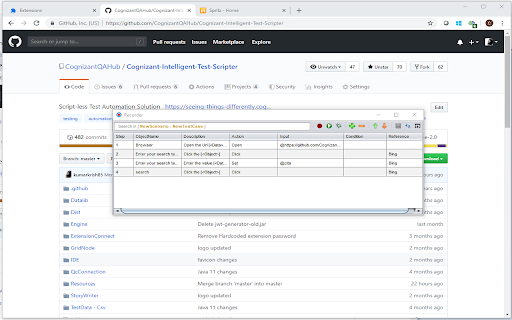
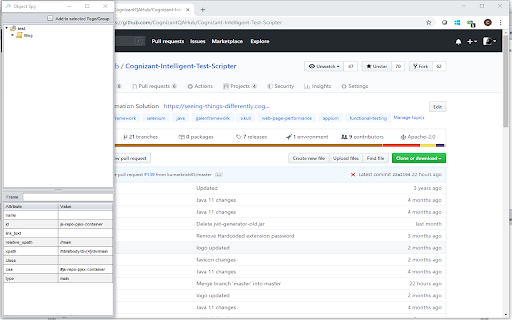
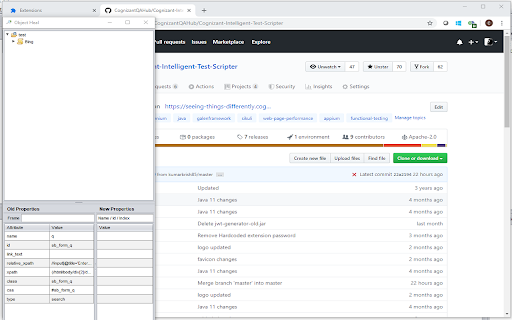
Скачать файл CRX расширения Cognizant Intelligent Test Scripter
Скачайте файлы расширений Cognizant Intelligent Test Scripter в формате crx, установите расширения Chrome вручную в браузере или поделитесь файлами crx с друзьями, чтобы легко установить расширения Chrome.
Инструкции по использованию расширения
To automate web application in script less approach Основная информация о расширении
| Название |  Cognizant Intelligent Test Scripter Cognizant Intelligent Test Scripter |
| ID | eghfogfdhadandcigjcccdfhlohcgljn |
| Официальный URL | https://chromewebstore.google.com/detail/cognizant-intelligent-tes/eghfogfdhadandcigjcccdfhlohcgljn |
| Описание | Spy,Heal and Recorder Extension for Cognizant Intelligent Test Scripter |
| Размер файла | 178 KB |
| Количество установок | 1,606 |
| Текущая Версия | 0.0.0.5 |
| Последнее Обновление | 2022-07-28 |
| Дата публикации | 2020-01-09 |
| Рейтинг | 4.75/5 Всего 8 оценок |
| Разработчик | https://cognizantqahub.github.io/Cognizant-Intelligent-Test-Scripter-Helpdoc |
| Электронная почта | [email protected] |
| Тип оплаты | free |
| Официальный сайт расширения | https://github.com/CognizantQAHub/Cognizant-Intelligent-Test-Scripter-Chrome-Extension/ |
| URL страницы помощи | https://github.com/CognizantQAHub/Cognizant-Intelligent-Test-Scripter-Chrome-Extension/ |
| Поддерживаемые языки | en |
| manifest.json | |
{
"update_url": "https:\/\/clients2.google.com\/service\/update2\/crx",
"manifest_version": 2,
"name": "Cognizant Intelligent Test Scripter",
"description": "Spy,Heal and Recorder Extension for Cognizant Intelligent Test Scripter",
"version": "0.0.0.5",
"icons": {
"16": "logo-16.png",
"32": "logo-32.png",
"64": "logo-64.png",
"128": "logo-128.png"
},
"options_ui": {
"page": "Options\/index.html",
"chrome_style": false,
"open_in_tab": true
},
"content_scripts": [
{
"matches": [
" | |