shortcut to github1s
Launch github1s with Ctrl(Win)/Command(Mac)+Shift+1.
Что такое shortcut to github1s?
shortcut to github1s - это расширение Chrome, разработанное katsuhisa_, и его основная функция - "Launch github1s with Ctrl(Win)/Command(Mac)+Shift+1.".
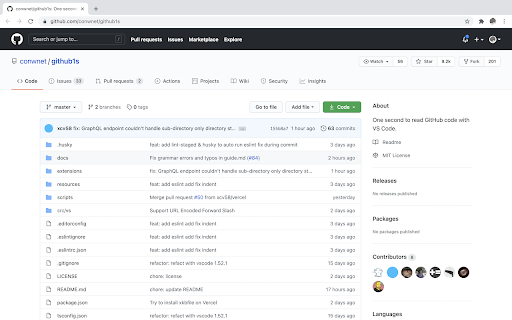
Снимки экрана расширения


Скачать файл CRX расширения shortcut to github1s
Скачайте файлы расширений shortcut to github1s в формате crx, установите расширения Chrome вручную в браузере или поделитесь файлами crx с друзьями, чтобы легко установить расширения Chrome.
Инструкции по использованию расширения
                        Based on https://github.com/conwnet/github1s. Thank you!

## About github1s
> Just add 1s after github and press Enter in browser address bar for any repository you want to read.
Основная информация о расширении
| Название |  shortcut to github1s shortcut to github1s |
| ID | gfcdbodapcbfckbfpmgeldfkkgjknceo |
| Официальный URL | https://chromewebstore.google.com/detail/shortcut-to-github1s/gfcdbodapcbfckbfpmgeldfkkgjknceo |
| Описание | Launch github1s with Ctrl(Win)/Command(Mac)+Shift+1. |
| Размер файла | 13.38 KB |
| Количество установок | 164 |
| Текущая Версия | 1.2.0 |
| Последнее Обновление | 2021-04-29 |
| Дата публикации | 2021-02-16 |
| Рейтинг | 5.00/5 Всего 1 оценок |
| Разработчик | katsuhisa_ |
| Электронная почта | [email protected] |
| Тип оплаты | free |
| Официальный сайт расширения | https://github.com/katsuhisa91/github1s-shortcut/ |
| Поддерживаемые языки | en |
| manifest.json | |
{
    "update_url": "https:\/\/clients2.google.com\/service\/update2\/crx",
    "name": "shortcut to github1s",
    "version": "1.2.0",
    "manifest_version": 3,
    "description": "Launch github1s with Ctrl(Win)\/Command(Mac)+Shift+1.",
    "icons": {
        "16": "resources\/quick_github1s.ico",
        "48": "resources\/quick_github1s.ico",
        "128": "resources\/quick_github1s.ico"
    },
    "background": {
        "service_worker": "background.js"
    },
    "action": {
        "default_icon": "resources\/quick_github1s.ico",
        "default_title": "shortcut to github1s"
    },
    "commands": {
        "quickLaunch": {
            "suggested_key": {
                "default": "Ctrl+Shift+1"
            },
            "global": true,
            "description": "Launch github1s"
        }
    },
    "permissions": [
        "activeTab",
        "scripting"
    ],
    "host_permissions": [
        "https:\/\/github.com\/*",
        "https:\/\/github1s.com\/*"
    ]
} | |