Offline HTML CSS Button Generator
Generate your button without writing Code, apply colour,size and etc using tool.
Что такое Offline HTML CSS Button Generator?
Offline HTML CSS Button Generator - это расширение Chrome, разработанное https://tutorialcodeplay.com, и его основная функция - "Generate your button without writing Code, apply colour,size and etc using tool.".
Снимки экрана расширения

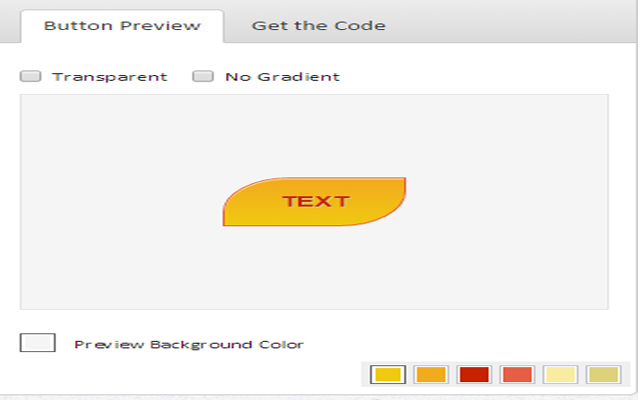


Скачать файл CRX расширения Offline HTML CSS Button Generator
Скачайте файлы расширений Offline HTML CSS Button Generator в формате crx, установите расширения Chrome вручную в браузере или поделитесь файлами crx с друзьями, чтобы легко установить расширения Chrome.
Инструкции по использованию расширения
Create your own button without programming (HTML5 CSS3 knowledge). Основная информация о расширении
| Название |  Offline HTML CSS Button Generator Offline HTML CSS Button Generator |
| ID | gjheaalanpedahhppimndoajnakpecge |
| Официальный URL | https://chrome.google.com/webstore/detail/offline-html-css-button-g/gjheaalanpedahhppimndoajnakpecge |
| Описание | Generate your button without writing Code, apply colour,size and etc using tool. |
| Размер файла | 1.01 MB |
| Количество установок | 619 |
| Текущая Версия | 1.1 |
| Последнее Обновление | 2019-02-04 |
| Дата публикации | 2019-02-04 |
| Рейтинг | 5.00/5 Всего 2 оценок |
| Разработчик | https://tutorialcodeplay.com |
| Электронная почта | [email protected] |
| Тип оплаты | free |
| Официальный сайт расширения | http://tutorialcodeplay.com |
| Поддерживаемые языки | en |
| manifest.json | |
{
    "update_url": "https:\/\/clients2.google.com\/service\/update2\/crx",
    "name": "Offline HTML CSS Button Generator",
    "description": "Generate your button without writing Code, apply colour,size and etc using tool.",
    "version": "1.1",
    "browser_action": {
        "default_icon": "icon\/128button.png",
        "default_popup": "index.html"
    },
    "offline_enabled": true,
    "author": "Merbin Joe",
    "homepage_url": "http:\/\/tutorialcodeplay.com",
    "icons": {
        "16": "icon\/16button.png",
        "48": "icon\/48button.png",
        "128": "icon\/128button.png"
    },
    "manifest_version": 2
} | |