Zoom Controls
This extension adds skip/rewind, playback, picture-in-picture video controls & keyboard shortcuts to the Zoom Recorded Video player.
Что такое Zoom Controls?
Zoom Controls - это расширение Chrome, разработанное Rehan Ahmed, и его основная функция - "This extension adds skip/rewind, playback, picture-in-picture video controls & keyboard shortcuts to the Zoom Recorded Video player.".
Снимки экрана расширения

Скачать файл CRX расширения Zoom Controls
Скачайте файлы расширений Zoom Controls в формате crx, установите расширения Chrome вручную в браузере или поделитесь файлами crx с друзьями, чтобы легко установить расширения Chrome.
Инструкции по использованию расширения
                        Zoom Controls makes the default, recorded-video player on Zoom much better by adding keyboard shortcuts, variable playback rates, option to rewind/forward video, picture-in-picture mode, and more.

NEW
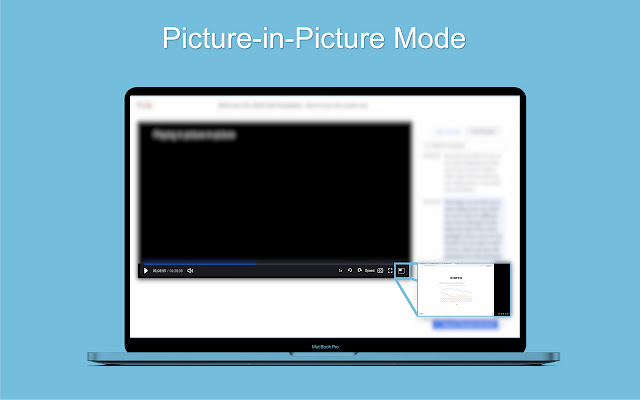
- Picture-in-Picture mode (Keyboard Shortcut - P )
- Zoom added forward/rewind by default, fixed support
- Zoom added play/pause by Spacebar, fixed support

Controls
Rewind, Forward, Playback Indicator

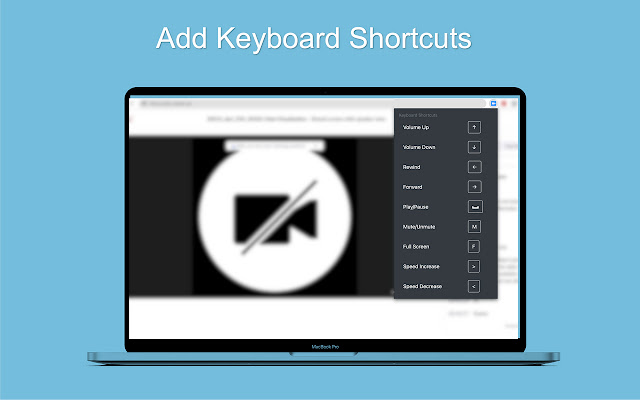
Keyboard Shortcuts
Volume Up - Arrow ↑
Volume Down - Arrow ↓
Rewind - Arrow ←
Forward - Arrow →
Play/Pause - Spacebar
Mute/Unmute - M
Full Screen - F
Subtitles - C
Picture-In-Picture - P
Video Speed Increase (Playback) - >
Video Speed Decrease (Playback) - <
Основная информация о расширении
| Название |  Zoom Controls Zoom Controls |
| ID | henmmblkopelpkajjhhndaicecnccgff |
| Официальный URL | https://chrome.google.com/webstore/detail/zoom-controls/henmmblkopelpkajjhhndaicecnccgff |
| Описание | This extension adds skip/rewind, playback, picture-in-picture video controls & keyboard shortcuts to the Zoom Recorded Video player. |
| Размер файла | 298 KB |
| Количество установок | 108 |
| Текущая Версия | 1.1 |
| Последнее Обновление | 2021-11-23 |
| Дата публикации | 2021-09-14 |
| Рейтинг | 5.00/5 Всего 3 оценок |
| Разработчик | Rehan Ahmed |
| Электронная почта | [email protected] |
| Тип оплаты | free |
| Официальный сайт расширения | https://github.com/reallyrehan/zoomcontrols |
| URL страницы помощи | https://github.com/reallyrehan/zoomcontrols |
| Поддерживаемые языки | en-US |
| manifest.json | |
{
    "update_url": "https:\/\/clients2.google.com\/service\/update2\/crx",
    "manifest_version": 2,
    "name": "Zoom Controls",
    "description": "This extension adds skip\/rewind, playback, picture-in-picture video controls & keyboard shortcuts to the Zoom Recorded Video player.",
    "version": "1.1",
    "icons": {
        "128": "icon.png"
    },
    "browser_action": {
        "default_icon": "images\/icon.png",
        "default_popup": "popup.html"
    },
    "content_scripts": [
        {
            "matches": [
                "https:\/\/*.zoom.us\/*"
            ],
            "js": [
                "jquery.min.js",
                "utilities.js"
            ],
            "run_at": "document_idle"
        }
    ]
} | |