Hancom Docs
Hancom Docs
Что такое Hancom Docs?
Hancom Docs - это расширение Chrome, разработанное hancomdocs, и его основная функция - "Hancom Docs".
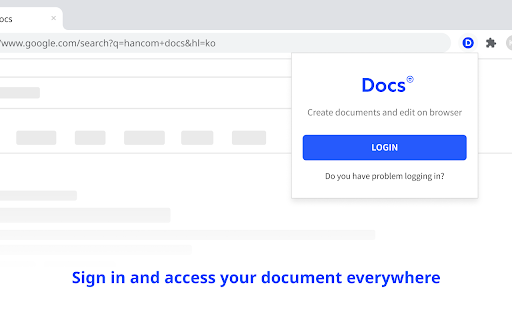
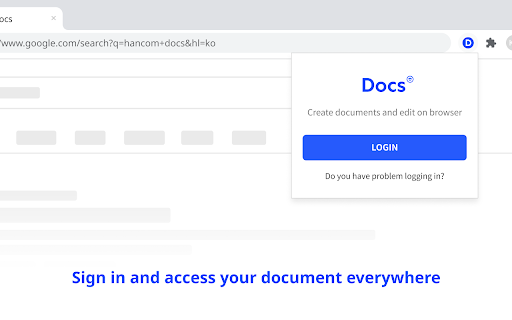
Снимки экрана расширения





Скачать файл CRX расширения Hancom Docs
Скачайте файлы расширений Hancom Docs в формате crx, установите расширения Chrome вручную в браузере или поделитесь файлами crx с друзьями, чтобы легко установить расширения Chrome.
Инструкции по использованию расширения
                        Quick and easy access to Hancom Docs.
View, edit and create HWP, Office documents in your browser.

[Features]
- Create new documents
- Open recent documents
- Upload files
- View account information
Основная информация о расширении
| Название |  Hancom Docs Hancom Docs |
| ID | hghicfdlhiabmmmcmdbbcgiodijhnihl |
| Официальный URL | https://chromewebstore.google.com/detail/hancom-docs/hghicfdlhiabmmmcmdbbcgiodijhnihl |
| Описание | Hancom Docs |
| Размер файла | 1.87 MB |
| Количество установок | 4,776 |
| Текущая Версия | 1.0.7 |
| Последнее Обновление | 2023-12-08 |
| Дата публикации | 2022-11-06 |
| Рейтинг | 4.64/5 Всего 11 оценок |
| Разработчик | hancomdocs |
| Электронная почта | [email protected] |
| Тип оплаты | free |
| Официальный сайт расширения | https://www.hancomdocs.com |
| URL страницы помощи | https://support.hancom.com |
| URL страницы политики конфиденциальности | https://accounts.hancom.com/policy/privacy/current |
| Поддерживаемые языки | en,ko |
| manifest.json | |
{
    "update_url": "https:\/\/clients2.google.com\/service\/update2\/crx",
    "version": "1.0.7",
    "manifest_version": 3,
    "name": "__MSG_appName__",
    "description": "__MSG_appDesc__",
    "default_locale": "en",
    "permissions": [
        "cookies",
        "storage"
    ],
    "host_permissions": [
        "*:\/\/*.hancomdocs.com\/"
    ],
    "icons": {
        "16": "icon_16.png",
        "48": "icon_48.png",
        "128": "icon_128.png"
    },
    "background": {
        "service_worker": ".\/build-background\/background.js"
    },
    "action": {
        "default_icon": ".\/icon_16.png",
        "default_popup": ".\/build-popup\/index.html"
    },
    "commands": {
        "create-hwpx": {
            "suggested_key": {
                "default": "Ctrl+Shift+1"
            },
            "description": "Create new hwpx document"
        },
        "create-xlsx": {
            "suggested_key": {
                "default": "Ctrl+Shift+2"
            },
            "description": "Create new cell document"
        },
        "create-docx": {
            "suggested_key": {
                "default": "Ctrl+Shift+3"
            },
            "description": "Create new word document"
        },
        "create-pptx": {
            "suggested_key": {
                "default": "Ctrl+Shift+4"
            },
            "description": "Create new pptx document"
        }
    }
} | |