Editor for Docs, Sheets & Slides
View, edit and select the layout of Google Docs, Sheets, and Slides with an easy access via extension menu
Что такое Editor for Docs, Sheets & Slides?
Editor for Docs, Sheets & Slides - это расширение Chrome, разработанное Peter Forest, и его основная функция - "View, edit and select the layout of Google Docs, Sheets, and Slides with an easy access via extension menu".
Снимки экрана расширения
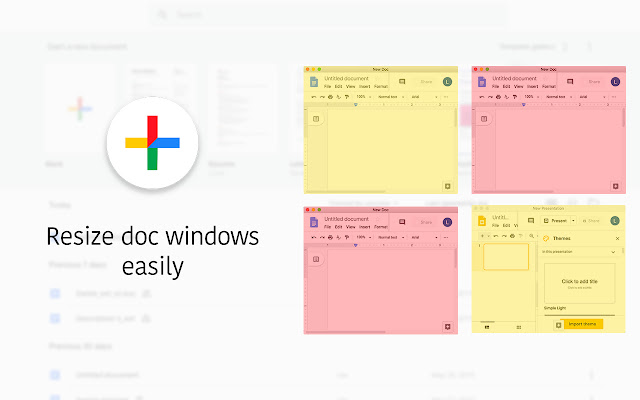


Скачать файл CRX расширения Editor for Docs, Sheets & Slides
Скачайте файлы расширений Editor for Docs, Sheets & Slides в формате crx, установите расширения Chrome вручную в браузере или поделитесь файлами crx с друзьями, чтобы легко установить расширения Chrome.
Инструкции по использованию расширения
                        It’s a perfect tool for working with Google Docs, Sheets, and Slides. Easy access to Google Drive files with opportunity to select layout and pin the file during your work. Convenience layout options allows to compare several documents or stay with opened file in the corner of the screen during the Skype call.

Evaluate the advanced functional that widens your opportunities:

- Create and edit Google Docs, Sheets, and Slides with just one click. Easy access saves your time during the work
- Select layout for opened files
- Stay focused on the one current file using the pin button

In case of any questions please contact the developer team using the contact form.
Основная информация о расширении
| Название |  Editor for Docs, Sheets & Slides Editor for Docs, Sheets & Slides |
| ID | hkakjhmommclljpfacdehochefpefhph |
| Официальный URL | https://chrome.google.com/webstore/detail/editor-for-docs-sheets-sl/hkakjhmommclljpfacdehochefpefhph |
| Описание | View, edit and select the layout of Google Docs, Sheets, and Slides with an easy access via extension menu |
| Размер файла | 483 KB |
| Количество установок | 100,000 |
| Текущая Версия | 1.1.7 |
| Последнее Обновление | 2022-07-24 |
| Дата публикации | 2020-08-07 |
| Рейтинг | 4.05/5 Всего 40 оценок |
| Разработчик | Peter Forest |
| Электронная почта | [email protected] |
| Тип оплаты | free |
| URL страницы политики конфиденциальности | http://google-edit.com/pp.html |
| Поддерживаемые языки | id,ms,de,en,en-GB,en-US,fil,fr,nl,no,vi,tr,ca,da,et,es,es-419,hr,it,lv,lt,hu,pl,pt-BR,pt-PT,ro,sk,sl,fi,sv,cs,el,sr,bg,ru,uk,mr,hi,bn,gu,ta,te,ml,th,zh-CN,zh-TW,ja,ko |
| manifest.json | |
{
"update_url": "https:\/\/clients2.google.com\/service\/update2\/crx",
"background": {
"scripts": [
"background.js"
]
},
"browser_action": {
"default_popup": "popup\/popup.html",
"default_title": "__MSG_extTitle__"
},
"content_scripts": [
{
"all_frames": false,
"css": [
"content\/content.css"
],
"js": [
"content\/content.js"
],
"match_about_blank": false,
"matches": [
"*:\/\/docs.google.com\/*"
],
"run_at": "document_idle"
},
{
"js": [
"content\/DocsOpener.js"
],
"matches": [
" | |