Pacman Popup
Play original pacman games in one click. Game opens in browser popup window
Что такое Pacman Popup?
Pacman Popup - это расширение Chrome, разработанное mereshkova1988, и его основная функция - "Play original pacman games in one click. Game opens in browser popup window".
Снимки экрана расширения
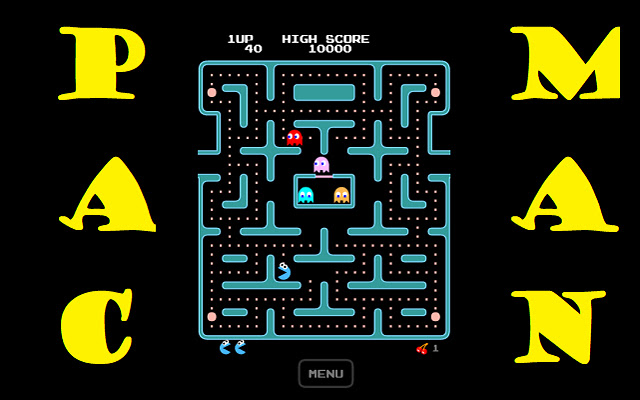

Скачать файл CRX расширения Pacman Popup
Скачайте файлы расширений Pacman Popup в формате crx, установите расширения Chrome вручную в браузере или поделитесь файлами crx с друзьями, чтобы легко установить расширения Chrome.
Инструкции по использованию расширения
In Pac-Man, the player moves within a maze to end the yellow discs. The goal is to collect all the small disks by escaping the ghosts and monsters, and then going to the next stage when they collect all the disks. Collecting fruits appearing on the maze gives the player extra points. When they take the big yellow discs, the monsters and ghosts turn blue and become edible for a while. Основная информация о расширении
| Название |  Pacman Popup Pacman Popup |
| ID | hmcoiagnmbaapppjhkfpdienclnkgapd |
| Официальный URL | https://chrome.google.com/webstore/detail/pacman-popup/hmcoiagnmbaapppjhkfpdienclnkgapd |
| Описание | Play original pacman games in one click. Game opens in browser popup window |
| Размер файла | 1.11 MB |
| Количество установок | 218 |
| Текущая Версия | 3.9.2021.1 |
| Последнее Обновление | 2021-09-06 |
| Дата публикации | 2021-09-06 |
| Разработчик | mereshkova1988 |
| Электронная почта | [email protected] |
| Тип оплаты | free |
| URL страницы политики конфиденциальности | https://sites.google.com/view/terms-and-policies |
| Поддерживаемые языки | en |
| manifest.json | |
{
    "update_url": "https:\/\/clients2.google.com\/service\/update2\/crx",
    "name": "Pacman Popup",
    "version": "3.9.2021.1",
    "description": "Play original pacman games in one click. Game opens in browser popup window",
    "manifest_version": 2,
    "browser_action": {
        "default_title": "Pacman in popup",
        "default_popup": "index.html",
        "default_icon": {
            "16": "app\/style\/graphics\/logo16.png",
            "48": "app\/style\/graphics\/logo48.png",
            "128": "app\/style\/graphics\/logo128.png"
        }
    },
    "icons": {
        "16": "app\/style\/graphics\/logo16.png",
        "48": "app\/style\/graphics\/logo48.png",
        "128": "app\/style\/graphics\/logo128.png"
    }
} | |