Translate To English...
Adds a context menu to allow you to send the highlighted text to the Microsoft Translator API
Что такое Translate To English...?
Translate To English... - это расширение Chrome, разработанное Brave Location, и его основная функция - "Adds a context menu to allow you to send the highlighted text to the Microsoft Translator API".
Снимки экрана расширения

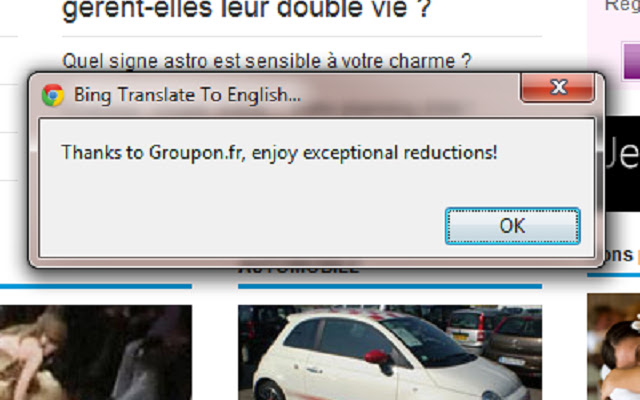
Скачать файл CRX расширения Translate To English...
Скачайте файлы расширений Translate To English... в формате crx, установите расширения Chrome вручную в браузере или поделитесь файлами crx с друзьями, чтобы легко установить расширения Chrome.
Инструкции по использованию расширения
                        This extension simply adds a context menu to allow you to send the highlighted text to the Microsoft Translator API and get it translated into English.

Also note that the source code for this simple application can be found on GitHub at https://github.com/bravelocation/BingTranslateChromeExtension
Основная информация о расширении
| Название |  Translate To English... Translate To English... |
| ID | hogdcbncicoifbkfdofpejkkckgkbjig |
| Официальный URL | https://chrome.google.com/webstore/detail/translate-to-english/hogdcbncicoifbkfdofpejkkckgkbjig |
| Описание | Adds a context menu to allow you to send the highlighted text to the Microsoft Translator API |
| Размер файла | 326 KB |
| Количество установок | 16,252 |
| Текущая Версия | 1.3 |
| Последнее Обновление | 2019-01-13 |
| Дата публикации | 2019-01-13 |
| Рейтинг | 3.94/5 Всего 68 оценок |
| Разработчик | Brave Location |
| Электронная почта | [email protected] |
| Тип оплаты | free |
| Официальный сайт расширения | http://www.bravelocation.com |
| Поддерживаемые языки | en |
| manifest.json | |
{
    "update_url": "https:\/\/clients2.google.com\/service\/update2\/crx",
    "name": "Translate To English...",
    "description": "Adds a context menu to allow you to send the highlighted text to the Microsoft Translator API",
    "version": "1.3",
    "manifest_version": 2,
    "permissions": [
        "contextMenus"
    ],
    "icons": {
        "16": "translate16.png",
        "48": "translate48.png",
        "128": "translate128.png"
    },
    "content_security_policy": "script-src 'self' https:\/\/api.microsofttranslator.com; object-src 'self'",
    "background": {
        "scripts": [
            "translatescript.js"
        ]
    }
} | |