Sema Login Autocomplete
Configure users credentials for each environment of your development web-projects. It's more than an autocomplete feature :-)
Что такое Sema Login Autocomplete?
Sema Login Autocomplete - это расширение Chrome, разработанное José Manuel García García, и его основная функция - "Configure users credentials for each environment of your development web-projects. It's more than an autocomplete feature :-)".
Снимки экрана расширения
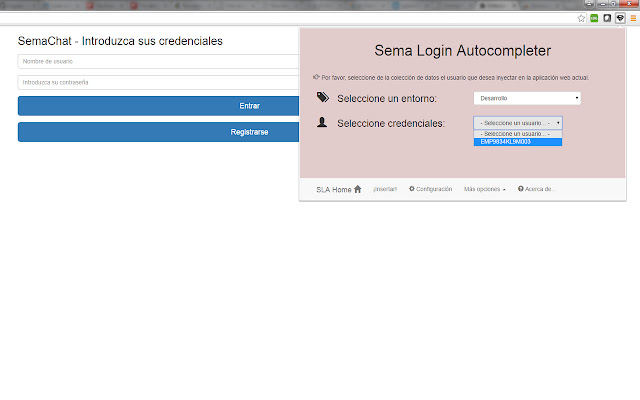
Скачать файл CRX расширения Sema Login Autocomplete
Скачайте файлы расширений Sema Login Autocomplete в формате crx, установите расширения Chrome вручную в браузере или поделитесь файлами crx с друзьями, чтобы легко установить расширения Chrome.
Инструкции по использованию расширения
                        Are you tired of write several time the user credentials of your current web development? Do you have a lot of different users in your web-app? Don't you remember which one is each credentials?

With the help of this extension you'll manage all your users and all your development environments (ouh yeah, production too!!), and don't care about the passwords :-)

Moreover, you could share that configuration (users, environments, credentials...) with your new mates, and you'll save your appreciated and tight time avoiding to resent them manually!

Languages: english, spanish and coming soon... italian! (automatically selected based on the chrome-lang)

Install it right now!
Основная информация о расширении
| Название |  Sema Login Autocomplete Sema Login Autocomplete |
| ID | icibgoniiblnlggidknaoijhcomafhma |
| Официальный URL | https://chrome.google.com/webstore/detail/sema-login-autocomplete/icibgoniiblnlggidknaoijhcomafhma |
| Описание | Configure users credentials for each environment of your development web-projects. It's more than an autocomplete feature :-) |
| Размер файла | 349 KB |
| Количество установок | 35 |
| Текущая Версия | 1.2 |
| Последнее Обновление | 2016-04-23 |
| Дата публикации | 2016-04-23 |
| Рейтинг | 5.00/5 Всего 1 оценок |
| Разработчик | José Manuel García García |
| Электронная почта | [email protected] |
| Тип оплаты | free |
| Поддерживаемые языки | en,es |
| manifest.json | |
{
"update_url": "https:\/\/clients2.google.com\/service\/update2\/crx",
"manifest_version": 2,
"name": "__MSG_extName__",
"version": "1.2",
"default_locale": "en",
"description": "__MSG_extDescription__",
"author": "Sema (Jos\u00e9 Manuel Garc\u00eda Garc\u00eda)",
"browser_action": {
"default_icon": "icons\/16\/s2.png",
"default_title": "Sema Login Autocomplete Extension",
"default_popup": "browser\/browser-action.html"
},
"background": {
"scripts": [
"libs\/jquery.js",
"background\/background.js"
],
"persistent": false
},
"commands": {
"_execute_browser_action": {
"suggested_key": {
"windows": "Ctrl+Shift+S",
"mac": "Command+Shift+S",
"chromeos": "Ctrl+Shift+S",
"linux": "Ctrl+Shift+S"
}
}
},
"content_scripts": [
{
"matches": [
" | |