ExploreIt
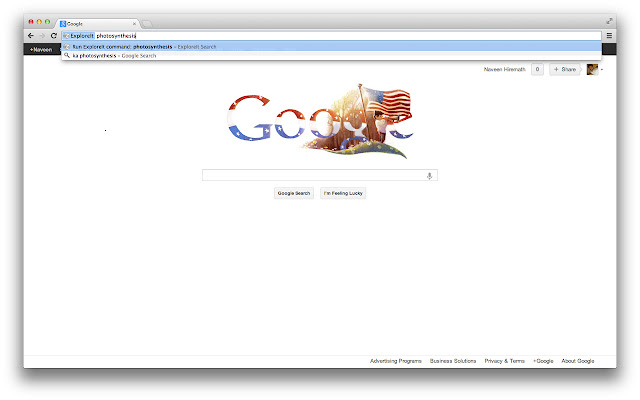
Instantenously search Khan Academy topics, videos and exercises. To use, type 'ka' plus a search term into the Omnibox.
Что такое ExploreIt?
ExploreIt - это расширение Chrome, разработанное Naveen Hiremath, и его основная функция - "Instantenously search Khan Academy topics, videos and exercises. To use, type 'ka' plus a search term into the Omnibox.".
Снимки экрана расширения

Скачать файл CRX расширения ExploreIt
Скачайте файлы расширений ExploreIt в формате crx, установите расширения Chrome вручную в браузере или поделитесь файлами crx с друзьями, чтобы легко установить расширения Chrome.
Инструкции по использованию расширения
                        ExploreIt lets you perform a search across all of Khan Academy's vast ocean of educational content by letting you type directly within the location/address bar and then automagically takes you to http://www.khanacademy.org/ search results page, in the process saving you a few clicks and time!

Note: ExploreIt does not consume memory while not being used.
Основная информация о расширении
| Название |  ExploreIt ExploreIt |
| ID | jdaabjgckeoioofgfmibbaknplmbhfdi |
| Официальный URL | https://chrome.google.com/webstore/detail/exploreit/jdaabjgckeoioofgfmibbaknplmbhfdi |
| Описание | Instantenously search Khan Academy topics, videos and exercises. To use, type 'ka' plus a search term into the Omnibox. |
| Размер файла | 24.01 KB |
| Количество установок | 76 |
| Текущая Версия | 1.0 |
| Последнее Обновление | 2012-11-19 |
| Дата публикации | 2012-11-19 |
| Рейтинг | 5.00/5 Всего 1 оценок |
| Разработчик | Naveen Hiremath |
| Тип оплаты | free |
| Поддерживаемые языки | en |
| manifest.json | |
{
    "update_url": "http:\/\/clients2.google.com\/service\/update2\/crx",
    "name": "ExploreIt",
    "version": "1.0",
    "manifest_version": 2,
    "description": "Instantenously search Khan Academy topics, videos and exercises. To use, type 'ka' plus a search term into the Omnibox.",
    "icons": {
        "16": "books-16.png",
        "48": "books-48.png",
        "128": "books-128.png"
    },
    "permissions": [
        "tabs",
        "http:\/\/www.khanacademy.org\/*"
    ],
    "background": {
        "scripts": [
            "background.js"
        ]
    },
    "omnibox": {
        "keyword": "ka"
    }
} | |