Bookmarks New Tab
Organise your Bookmarks on your new tab with options to create folders with bookmarks
Что такое Bookmarks New Tab?
Bookmarks New Tab - это расширение Chrome, разработанное Locksley Ltd, и его основная функция - "Organise your Bookmarks on your new tab with options to create folders with bookmarks".
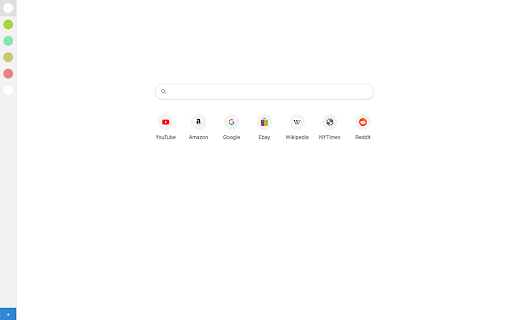
Снимки экрана расширения


Скачать файл CRX расширения Bookmarks New Tab
Скачайте файлы расширений Bookmarks New Tab в формате crx, установите расширения Chrome вручную в браузере или поделитесь файлами crx с друзьями, чтобы легко установить расширения Chrome.
Инструкции по использованию расширения
                        Bookmarks New Tab lets you organise all your Bookmarks in folders on your new tabs, you can create unlimited folders and save bookmarks to them for easy convenient access in your new tab.  Simple right click on any page select save and select the folder to put this bookmark, all bookmarks for that folder will be displayed on your new tabs.

By clicking Add To Chrome I agree to changing the browser new tab to that provided by the service and agree to the privacy policy and terms of use below.  Please note this extension changes your new tab search to results powered by bing.com.

https://bookmarks-newtab.com/privacy.html
https://bookmarks-newtab.com/terms.html
Основная информация о расширении
| Название |  Bookmarks New Tab Bookmarks New Tab |
| ID | jjojbmhmaokgkfjjghgflflbbbmbbhhn |
| Официальный URL | https://chromewebstore.google.com/detail/bookmarks-new-tab/jjojbmhmaokgkfjjghgflflbbbmbbhhn |
| Описание | Organise your Bookmarks on your new tab with options to create folders with bookmarks |
| Размер файла | 345 KB |
| Количество установок | 9,527 |
| Текущая Версия | 1.2 |
| Последнее Обновление | 2021-01-11 |
| Дата публикации | 2020-11-25 |
| Разработчик | Locksley Ltd |
| Электронная почта | [email protected] |
| Тип оплаты | free |
| URL страницы политики конфиденциальности | https://nifty-counters.com/privacy.html |
| Поддерживаемые языки | en-US |
| manifest.json | |
{
    "update_url": "https:\/\/clients2.google.com\/service\/update2\/crx",
    "name": "Bookmarks New Tab",
    "version": "1.2",
    "manifest_version": 2,
    "description": "Organise your Bookmarks on your new tab with options to create folders with bookmarks",
    "background": {
        "scripts": [
            "background.bundle.js"
        ]
    },
    "browser_action": {
        "default_icon": "logo.png",
        "icons": {
            "16": "icon16.png",
            "48": "icon48.png",
            "128": "icon128.png"
        }
    },
    "icons": {
        "16": "icon16.png",
        "48": "icon48.png",
        "128": "icon128.png"
    },
    "permissions": [
        "contextMenus",
        "storage",
        "chrome:\/\/favicon\/",
        "https:\/\/api.bing.com\/*",
        "https:\/\/bookmarks-newtab.com\/*"
    ],
    "chrome_url_overrides": {
        "newtab": "newtab.html"
    },
    "content_security_policy": "script-src 'self' 'unsafe-eval'; object-src 'self'; img-src 'self' chrome:\/\/favicon data:;"
} | |