ImGrab
This extension grabs images from Facebook Comments
Что такое ImGrab?
ImGrab - это расширение Chrome, разработанное http://loganmartel.me, и его основная функция - "This extension grabs images from Facebook Comments".
Снимки экрана расширения
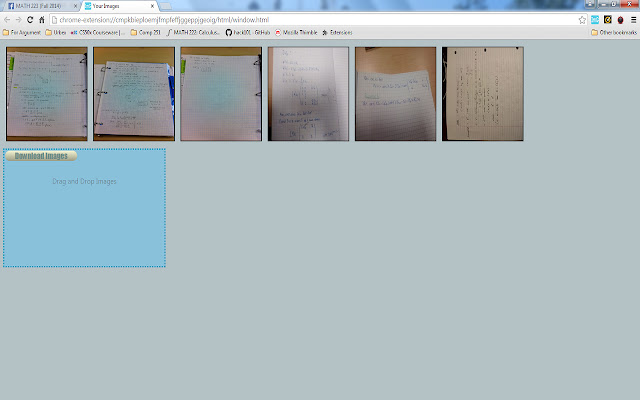

Скачать файл CRX расширения ImGrab
Скачайте файлы расширений ImGrab в формате crx, установите расширения Chrome вручную в браузере или поделитесь файлами crx с друзьями, чтобы легко установить расширения Chrome.
Инструкции по использованию расширения
                        (WARNING: This project is currently unmaintained & appears to no longer work as expected with the latest realization of Facebook comments)

Sick of downloading images one-by-one from Facebook Comments? ImGrab has a solution.

Just click the icon while viewing the images in your active tab and ImGrab will buffer them all to a popup. From here, you can now click to instantly download the images or choose "Window View" to browse in a new window.

No more downloading lecture notes one JPEG at a time! No more sorting and renaming them  in your Downloads Folder. ImGrab's got your back. Go on, try it.
Основная информация о расширении
| Название |  ImGrab ImGrab |
| ID | joccgpegapffmlifpgelpkoeplfehppi |
| Официальный URL | https://chrome.google.com/webstore/detail/imgrab/joccgpegapffmlifpgelpkoeplfehppi |
| Описание | This extension grabs images from Facebook Comments |
| Размер файла | 1.58 MB |
| Количество установок | 17 |
| Текущая Версия | 1.1.0 |
| Последнее Обновление | 2018-06-28 |
| Дата публикации | 2018-06-28 |
| Рейтинг | 5.00/5 Всего 2 оценок |
| Разработчик | http://loganmartel.me |
| Тип оплаты | free |
| Официальный сайт расширения | https://github.com/martelogan-legacy-projects/ImGrab |
| Поддерживаемые языки | en |
| manifest.json | |
{
"update_url": "https:\/\/clients2.google.com\/service\/update2\/crx",
"manifest_version": 2,
"name": "ImGrab",
"description": "This extension grabs images from Facebook Comments",
"author": "Logan Martel",
"version": "1.1.0",
"icons": {
"16": "img\/icon16.png",
"48": "img\/icon48.png",
"128": "img\/icon128.png"
},
"browser_action": {
"default_icon": "img\/icon40.png",
"default_popup": "html\/popup.html"
},
"background": {
"page": "html\/popup.html"
},
"permissions": [
"tabs",
"storage",
" | |