Prettier Chrome Extension
prettier chrome extension
Что такое Prettier Chrome Extension?
Prettier Chrome Extension - это расширение Chrome, разработанное Unknown, и его основная функция - "prettier chrome extension".
Снимки экрана расширения

Скачать файл CRX расширения Prettier Chrome Extension
Скачайте файлы расширений Prettier Chrome Extension в формате crx, установите расширения Chrome вручную в браузере или поделитесь файлами crx с друзьями, чтобы легко установить расширения Chrome.
Инструкции по использованию расширения
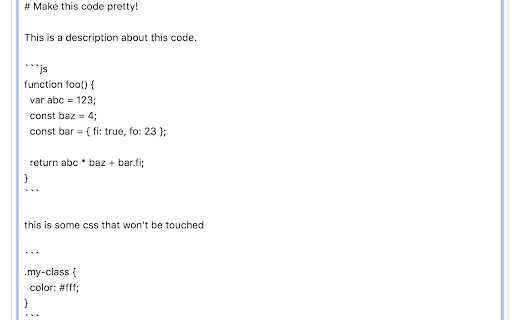
                        Format your JavaScript code using the Prettier library on any editable element (`textarea` and `input[type=text]`, for now).


sebmarkbage(https://twitter.com/sebmarkbage/status/843866641515536384) had an idea for a tool that will format your JavaScript code that is not in your code editor/IDE. This is the implementation I came up with.

Usage

1. Install
2. Ensure your code fences are defined as JS blocks (```js var abc = 123; ```)
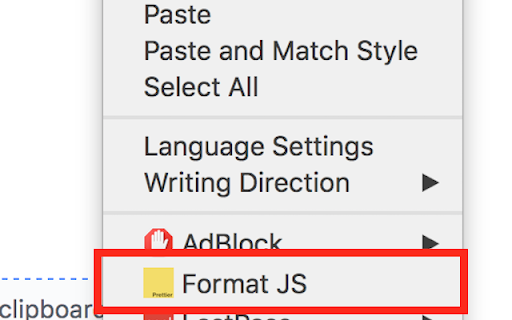
3. Format your code via a handy context menu.

Options

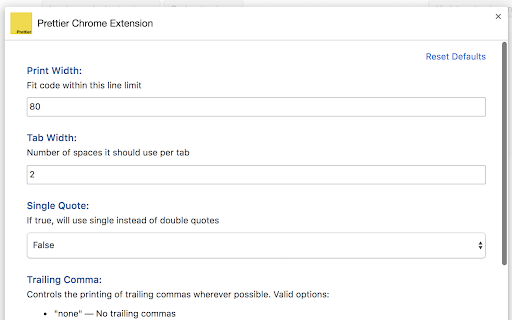
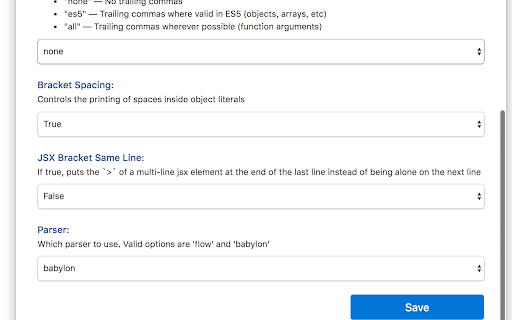
All the options that are defined in Prettier API are available to be set using the extensions options page.
Основная информация о расширении
| Название |  Prettier Chrome Extension Prettier Chrome Extension |
| ID | khnhpkjhoogpgnbhagabcnamppfohhjd |
| Официальный URL | https://chromewebstore.google.com/detail/prettier-chrome-extension/khnhpkjhoogpgnbhagabcnamppfohhjd |
| Описание | prettier chrome extension |
| Размер файла | 3.36 MB |
| Количество установок | 1,045 |
| Текущая Версия | 0.1.0 |
| Последнее Обновление | 2017-03-23 |
| Дата публикации | 2017-03-23 |
| Рейтинг | 4.00/5 Всего 2 оценок |
| Разработчик | Unknown |
| Тип оплаты | free |
| Официальный сайт расширения | https://github.com/jamez14/prettier-chrome-extension |
| Поддерживаемые языки | en-US |
| manifest.json | |
{
"update_url": "https:\/\/clients2.google.com\/service\/update2\/crx",
"name": "Prettier Chrome Extension",
"icons": {
"16": "icon_16x16.png",
"32": "icon_32x32.png",
"48": "icon_48x48.png",
"128": "icon_128x128.png"
},
"background": {
"scripts": [
"background.bundle.js"
],
"persistent": true
},
"permissions": [
"contextMenus",
"background",
"storage"
],
"options_ui": {
"page": "options.html",
"chrome_style": true
},
"content_scripts": [
{
"matches": [
" | |