History Graph
Reads your history, and shows the top ten pages you go to by typing the URL.
Что такое History Graph?
History Graph - это расширение Chrome, разработанное William Ma, и его основная функция - "Reads your history, and shows the top ten pages you go to by typing the URL.".
Снимки экрана расширения
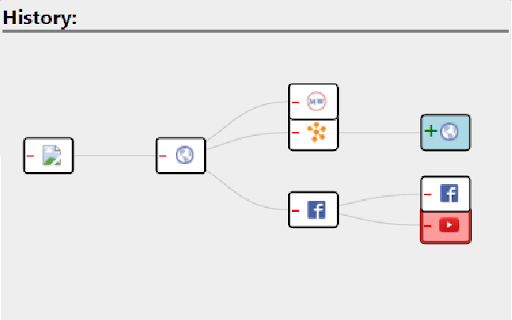
Скачать файл CRX расширения History Graph
Скачайте файлы расширений History Graph в формате crx, установите расширения Chrome вручную в браузере или поделитесь файлами crx с друзьями, чтобы легко установить расширения Chrome.
Инструкции по использованию расширения
Navigate through your recent history much easier with this extension. A graph of all travelled pages will be displayed for a user to navigate to any page he/she wishes. Основная информация о расширении
| Название |  History Graph History Graph |
| ID | kknceihjckaijliogihaggomdjlaboim |
| Официальный URL | https://chromewebstore.google.com/detail/history-graph/kknceihjckaijliogihaggomdjlaboim |
| Описание | Reads your history, and shows the top ten pages you go to by typing the URL. |
| Размер файла | 134 KB |
| Количество установок | 11 |
| Текущая Версия | 1.6 |
| Последнее Обновление | 2016-01-15 |
| Дата публикации | 2016-01-15 |
| Рейтинг | 4.00/5 Всего 1 оценок |
| Разработчик | William Ma |
| Тип оплаты | free |
| Поддерживаемые языки | en |
| manifest.json | |
{
    "update_url": "https:\/\/clients2.google.com\/service\/update2\/crx",
    "name": "History Graph",
    "version": "1.6",
    "description": "Reads your history, and shows the top ten pages you go to by typing the URL.",
    "permissions": [
        "tabs",
        "webNavigation"
    ],
    "background": {
        "scripts": [
            "jquery-1.11.1.min.js",
            "background.js"
        ]
    },
    "browser_action": {
        "default_popup": "GraphView.html",
        "default_icon": "icon.png"
    },
    "icons": {
        "128": "icon128.png",
        "64": "icon.png",
        "32": "icon32.png"
    },
    "manifest_version": 2
} | |