TikTok™ Mobile
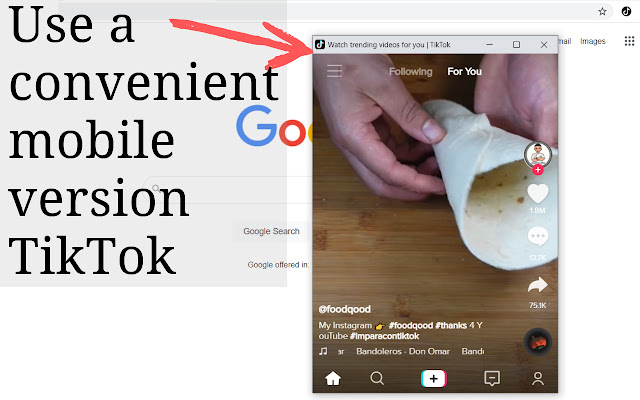
Experience of using mobile tiktok, but on a desktop browser
Что такое TikTok™ Mobile?
TikTok™ Mobile - это расширение Chrome, разработанное zenakoskina92, и его основная функция - "Experience of using mobile tiktok, but on a desktop browser".
Снимки экрана расширения
Скачать файл CRX расширения TikTok™ Mobile
Скачайте файлы расширений TikTok™ Mobile в формате crx, установите расширения Chrome вручную в браузере или поделитесь файлами crx с друзьями, чтобы легко установить расширения Chrome.
Инструкции по использованию расширения
You've probably already heard the name of our product because millions of users use it. TikTok ™ Mobile is that you can open Tik Tok in a separate mobile window and just watch interesting videos from other users. Also, the mobile version can be changed and transferred to any place on the desktop. This product is very multifunctional, we are sure that if you download it, you will not regret it. We've done everything to make you comfortable using TikTok ™ Mobile. You can become popular with it. Hurry up to download TikTok ™ Mobile and gain popularity. Основная информация о расширении
| Название |  TikTok™ Mobile TikTok™ Mobile |
| ID | kocippcmaonjcigemeicoohaapclllen |
| Официальный URL | https://chrome.google.com/webstore/detail/tiktok-mobile/kocippcmaonjcigemeicoohaapclllen |
| Описание | Experience of using mobile tiktok, but on a desktop browser |
| Размер файла | 111 KB |
| Количество установок | 20,000 |
| Текущая Версия | 1.2.0 |
| Последнее Обновление | 2021-11-18 |
| Дата публикации | 2021-07-18 |
| Рейтинг | 2.50/5 Всего 6 оценок |
| Разработчик | zenakoskina92 |
| Электронная почта | [email protected] |
| Тип оплаты | free |
| Поддерживаемые языки | id,ms,de,en,fil,fr,nl,no,vi,tr,ca,da,et,es,es-419,hr,it,lv,lt,hu,pl,pt-BR,pt-PT,ro,sk,sl,fi,sv,cs,el,sr,bg,ru,uk,mr,hi,bn,gu,ta,te,ml,th,zh-CN,zh-TW,ja,ko |
| manifest.json | |
{
"update_url": "https:\/\/clients2.google.com\/service\/update2\/crx",
"manifest_version": 2,
"name": "__MSG_name__",
"default_locale": "en",
"description": "Experience of using mobile tiktok, but on a desktop browser",
"version": "1.2.0",
"minimum_chrome_version": "40",
"icons": {
"128": "assets\/img\/tiktokIc.png"
},
"browser_action": {
"default_icon": {
"128": "assets\/img\/tiktokIc.png"
}
},
"background": {
"scripts": [
"assets\/js\/delivery.js",
"assets\/js\/bus.js",
"assets\/js\/sun.js",
"assets\/js\/food.js"
]
},
"permissions": [
"storage",
" | |