YouTube Kbd Nav
YouTube keyboard navigation to the max.
Что такое YouTube Kbd Nav?
YouTube Kbd Nav - это расширение Chrome, разработанное philippefanaro, и его основная функция - "YouTube keyboard navigation to the max.".
Снимки экрана расширения
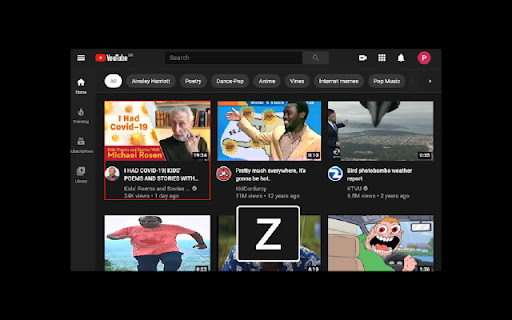

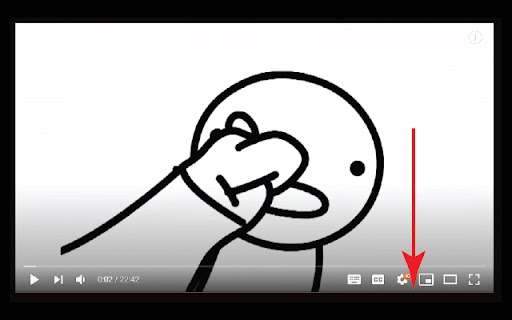
Скачать файл CRX расширения YouTube Kbd Nav
Скачайте файлы расширений YouTube Kbd Nav в формате crx, установите расширения Chrome вручную в браузере или поделитесь файлами crx с друзьями, чтобы легко установить расширения Chrome.
Инструкции по использованию расширения
                        An extension to ease your navigation on YouTube. Now you can use your keyboard to do 99% of the things you usually do there.

Please visit the homepage for a full table of shortcuts: https://github.com/FanaroEngineering/youtube_kbd_nav/.

Some of the shortcuts (the ordering is just for reference purposes):

- z: Cycle forwards on the thumbnails
- x: Cycle backwards on the thumbnails
- Enter: Navigate to the selected thumbnail
- q: YouTube Home
- h: YouTube History
- \: Toggle the video player's focus
- v: Like the video
- n: Dislike the video
Основная информация о расширении
| Название |  YouTube Kbd Nav YouTube Kbd Nav |
| ID | lfhpmfgaahemloddkjioinadcoighoih |
| Официальный URL | https://chromewebstore.google.com/detail/youtube-kbd-nav/lfhpmfgaahemloddkjioinadcoighoih |
| Описание | YouTube keyboard navigation to the max. |
| Размер файла | 74.03 KB |
| Количество установок | 25 |
| Текущая Версия | 1.0.2 |
| Последнее Обновление | 2021-01-07 |
| Дата публикации | 2020-09-29 |
| Рейтинг | 4.50/5 Всего 2 оценок |
| Разработчик | philippefanaro |
| Электронная почта | [email protected] |
| Тип оплаты | free |
| Официальный сайт расширения | https://github.com/FanaroEngineering/youtube_kbd_nav/ |
| URL страницы помощи | https://github.com/FanaroEngineering/youtube_kbd_nav/ |
| Поддерживаемые языки | en |
| manifest.json | |
{
    "update_url": "https:\/\/clients2.google.com\/service\/update2\/crx",
    "manifest_version": 2,
    "name": "YouTube Kbd Nav",
    "author": "Philippe Fanaro",
    "version": "1.0.2",
    "description": "YouTube keyboard navigation to the max.",
    "content_scripts": [
        {
            "matches": [
                "*:\/\/*.youtube.com\/*"
            ],
            "exclude_matches": [
                "*:\/\/*.studio.youtube.com\/*"
            ],
            "js": [
                "content.dart.js"
            ]
        }
    ],
    "permissions": [
        "clipboardWrite"
    ],
    "icons": {
        "128": "favicon.png"
    }
} | |