NTUWLogin Bot
This extension helps you login to the NTUWL wireless network automatically.
Что такое NTUWLogin Bot?
NTUWLogin Bot - это расширение Chrome, разработанное Jianfeng, и его основная функция - "This extension helps you login to the NTUWL wireless network automatically.".
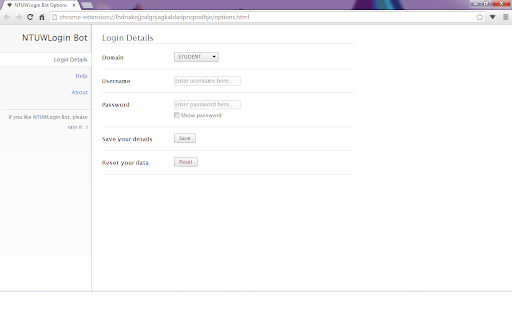
Снимки экрана расширения


Скачать файл CRX расширения NTUWLogin Bot
Скачайте файлы расширений NTUWLogin Bot в формате crx, установите расширения Chrome вручную в браузере или поделитесь файлами crx с друзьями, чтобы легко установить расширения Chrome.
Инструкции по использованию расширения
                        This tiny extension helps you use the NTUWL wireless network in a very convenient way.

Update in 1.2.1. Suggestions for feedback is added to About page.

Update in 1.2.0. Log in address modified to be able to work for more situations.  For example, It will work with wifi near Chinese Library, too.

Every time you are redirected to the login page of NTUWL, NTUWLogin Bot will automatically fill in the form, login for you, and redirect you back.

Just fill in your login details in the options and let NTUWLogin Bot help you.

Btw, NTUWLogin Bot will definitely NOT store your personal information. All your data will be store locally on your computer.
Основная информация о расширении
| Название |  NTUWLogin Bot NTUWLogin Bot |
| ID | lhdnakojjcalgnjagkaldadpncpodhje |
| Официальный URL | https://chromewebstore.google.com/detail/ntuwlogin-bot/lhdnakojjcalgnjagkaldadpncpodhje |
| Описание | This extension helps you login to the NTUWL wireless network automatically. |
| Размер файла | 54.62 KB |
| Количество установок | 111 |
| Текущая Версия | 1.2.1 |
| Последнее Обновление | 2014-06-07 |
| Дата публикации | 2014-06-06 |
| Рейтинг | 4.57/5 Всего 7 оценок |
| Разработчик | Jianfeng |
| Тип оплаты | free |
| Поддерживаемые языки | en |
| manifest.json | |
{
    "update_url": "https:\/\/clients2.google.com\/service\/update2\/crx",
    "manifest_version": 2,
    "name": "NTUWLogin Bot",
    "description": "This extension helps you login to the NTUWL wireless network automatically.",
    "version": "1.2.1",
    "background": {
        "scripts": [
            "js\/background.js"
        ],
        "persistent": false
    },
    "permissions": [
        "http:\/\/*\/*",
        "https:\/\/*\/*",
        "webNavigation",
        "tabs"
    ],
    "options_page": "options.html",
    "icons": {
        "48": "images\/icon-48.png",
        "128": "images\/icon-128.png"
    },
    "browser_action": {
        "default_icon": {
            "19": "images\/icon-19.png",
            "38": "images\/icon-38.png"
        },
        "default_popup": "popup.html"
    }
} | |