UltraWide Video
Allows wider than average screens (eg.21:9) to play online video content and fit the screen properly in fullscreen mode.
Что такое UltraWide Video?
UltraWide Video - это расширение Chrome, разработанное James, и его основная функция - "Allows wider than average screens (eg.21:9) to play online video content and fit the screen properly in fullscreen mode.".
Снимки экрана расширения
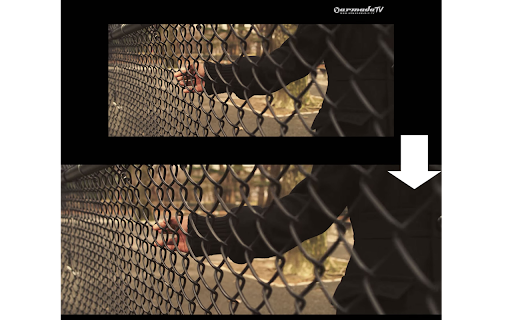
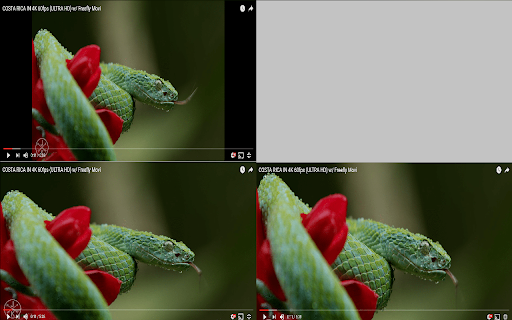
Скачать файл CRX расширения UltraWide Video
Скачайте файлы расширений UltraWide Video в формате crx, установите расширения Chrome вручную в браузере или поделитесь файлами crx с друзьями, чтобы легко установить расширения Chrome.
Инструкции по использованию расширения
                        UPDATED:
-Added an aspect ratio mode as well as crop mode. You can toggle these on the fly with ctrl+alt+c!
-More stability and more compatibility with players.

Press ctrl+alt+c to toggle on the fly.

Help me out on GIT! https://github.com/wltrsjames/Ultrawide-Video

This extension enables the support for 21:9 monitors on YouTube, Netflix & HBO GO's full screen mode.
It is great for wide aspect ratio videos, that have black bars at the top and bottom and don't scale correctly.
Основная информация о расширении
| Название |  UltraWide Video UltraWide Video |
| ID | lngfncacljheahfpahadgipefkbagpdl |
| Официальный URL | https://chromewebstore.google.com/detail/ultrawide-video/lngfncacljheahfpahadgipefkbagpdl |
| Описание | Allows wider than average screens (eg.21:9) to play online video content and fit the screen properly in fullscreen mode. |
| Размер файла | 13.47 KB |
| Количество установок | 183,058 |
| Текущая Версия | 1.7.5 |
| Последнее Обновление | 2021-08-08 |
| Дата публикации | 2021-08-08 |
| Рейтинг | 4.12/5 Всего 808 оценок |
| Разработчик | James |
| Электронная почта | [email protected] |
| Тип оплаты | free |
| Поддерживаемые языки | en |
| manifest.json | |
{
"update_url": "https:\/\/clients2.google.com\/service\/update2\/crx",
"manifest_version": 2,
"name": "UltraWide Video",
"version": "1.7.5",
"description": "Allows wider than average screens (eg.21:9) to play online video content and fit the screen properly in fullscreen mode.",
"icons": {
"128": "images\/icon.png"
},
"permissions": [
"storage",
"notifications"
],
"content_scripts": [
{
"matches": [
" | |